
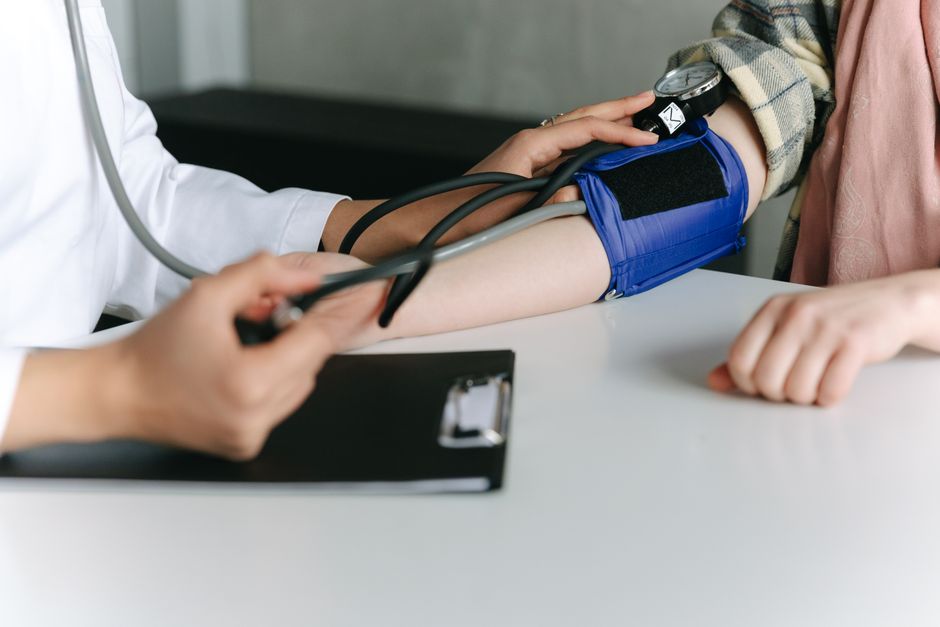
Seeing “E3” flash on your blood pressure monitor can be confusing, especially when you just want a reading. In most cases, E3 is an error code indicating that the monitor detected a problem during the measurement, most commonly an issue with the air pressure in the cuff or a movement artifact. It is not a measurement of your blood pressure, but rather a signal that the device could not get a valid reading and you need to retake it.
What Does E3 Mean On A Blood Pressure Monitor?
E3 is a generic error code used by many blood pressure monitor manufacturers. It typically means the device detected a fault during the inflation or deflation process. The most frequent cause is that the cuff did not inflate properly, which usually happens if the hose is kinked, the connector is loose, or the cuff itself is not wrapped snugly around your arm.
Some devices also use E3 to indicate that it detected movement or talking during the test. Even a small shift in your arm position can change the pressure inside the cuff and confuse the monitor’s sensors. The monitor then stops the test and displays E3 instead of a number.
How Is E3 Different From Other Error Codes?
Manufacturers use different letters and numbers to describe different problems. While E3 often relates to pressure or movement, other codes point to different issues. For example, “E1” or “Err 1” might mean the cuff is not connected at all. “E2” often signals that the cuff pressure is too high or too low to start. “E4” or “E5” might indicate a hardware malfunction or a weak battery.
Because there is no universal standard, the exact meaning of E3 can vary from one brand to another. Always check the manual that came with your specific device. If you lost the manual, most manufacturers list error codes on their websites.
Most Common Causes of the E3 Error
Before assuming your monitor is broken, check these likely culprits. In most cases, the fix is simple and takes less than a minute.
- Loose tube connection: The air hose that connects the cuff to the monitor can work loose. Push it in firmly until it clicks.
- Kinked or pinched hose: If the tube is bent sharply or trapped under your body, air cannot flow. Straighten it out completely.
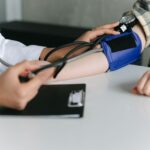
- Loose cuff: The cuff must be snug but not tight. You should be able to slide one finger between the cuff and your arm. If it is too loose, the monitor cannot build enough pressure.
- Movement or talking: Any motion of your arm, hand, or body during the reading can trigger E3. Sit still and remain silent during the test.
- Incorrect cuff placement: The cuff should sit at heart level, with the air tube aligned with the center of your arm. If it is twisted or placed too low, readings fail.
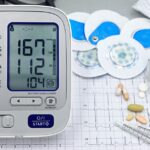
How to Fix the E3 Error
Start by turning the monitor off and unplugging the hose from the device. Check the hose for any visible damage, then reconnect it firmly. Make sure the cuff is wrapped around your bare upper arm, not over clothing. Position it about one inch above the bend of your elbow.
Sit quietly for five minutes before taking another reading. Place your feet flat on the floor, rest your arm on a table at heart level, and do not cross your legs. When you start the monitor, keep your arm still and do not speak until the reading completes. If the error disappears, the problem was likely a setup issue.
When E3 Keeps Appearing
If you have corrected the hose, cuff position, and posture and the E3 error still appears, the problem may be with the device itself. A failing pump inside the monitor cannot generate the pressure needed for a reading. A cracked hose or a damaged cuff bladder can also cause repeated errors because air leaks out during inflation.
Check the cuff for visible tears or worn fabric. If the cuff is damaged, replacement cuffs are usually available from the manufacturer. If the cuff looks fine and the error persists across multiple attempts, the monitor likely needs repair or replacement. Many home monitors last about two to three years with regular use.
Does E3 Mean Your Blood Pressure Is Dangerous?
No. The E3 code does not tell you anything about your actual blood pressure. It simply means the device could not obtain a measurement. Do not interpret the error as a sign of a medical emergency. Instead, correct the setup issue and try again.
If you are experiencing symptoms such as chest pain, severe headache, shortness of breath, or dizziness, do not rely on a home monitor. Seek medical attention directly. A home monitor is a screening tool, not a replacement for professional evaluation.
How to Get Accurate Readings to Avoid Errors
Consistent technique reduces the chance of error codes and gives you more reliable numbers. Take your blood pressure at the same time each day, ideally in the morning before eating or taking medication. Avoid caffeine, exercise, and smoking for at least 30 minutes before a reading. Empty your bladder first, as a full bladder can raise blood pressure temporarily.
Rest for five minutes in a chair with your back supported before starting. Place the cuff on your bare arm and confirm it fits correctly. Most standard cuffs fit arms with a circumference of 9 to 13 inches. If your arm is larger or smaller, you may need a different cuff size. Using the wrong size cuff is a common cause of both error messages and inaccurate readings.
Take two or three readings about one minute apart and record the average. This practice smooths out natural variations in blood pressure that occur from beat to beat.
When to Check Your Monitor’s Accuracy
Home blood pressure monitors can drift out of calibration over time. If you are getting consistent readings that seem unusually high or low, or if error codes become frequent, bring your monitor to your next doctor’s appointment. Many clinics can compare your home monitor’s reading against their own equipment.
Some pharmacies and fire stations also have public blood pressure kiosks for comparison. However, these kiosks are not always calibrated either, so a clinical comparison is more reliable. If your monitor is more than a few years old and developing frequent errors, replacing it may be more practical than repairing it.
Frequently Asked Questions
Why does my blood pressure monitor keep showing E3?
E3 usually means the cuff did not inflate properly, often due to a loose hose connection, a kinked tube, or a cuff that is too loose. Movement or talking during the reading can also trigger this error.
Is E3 a dangerous error code?
No, E3 is a technical error indicating the monitor could not get a reading. It does not reflect your actual blood pressure and is not a medical warning.
Can I fix the E3 error myself?
Yes, in most cases. Check the hose connection, straighten any kinks, wrap the cuff snugly, and sit still during the test. If the error persists, the cuff or monitor may need replacement.
How do I know if my blood pressure monitor is broken?
If E3 appears repeatedly after you have corrected the cuff and hose setup, the device may be faulty. Compare its readings with a clinic monitor, or consider replacing it if it is more than two to three years old.
