
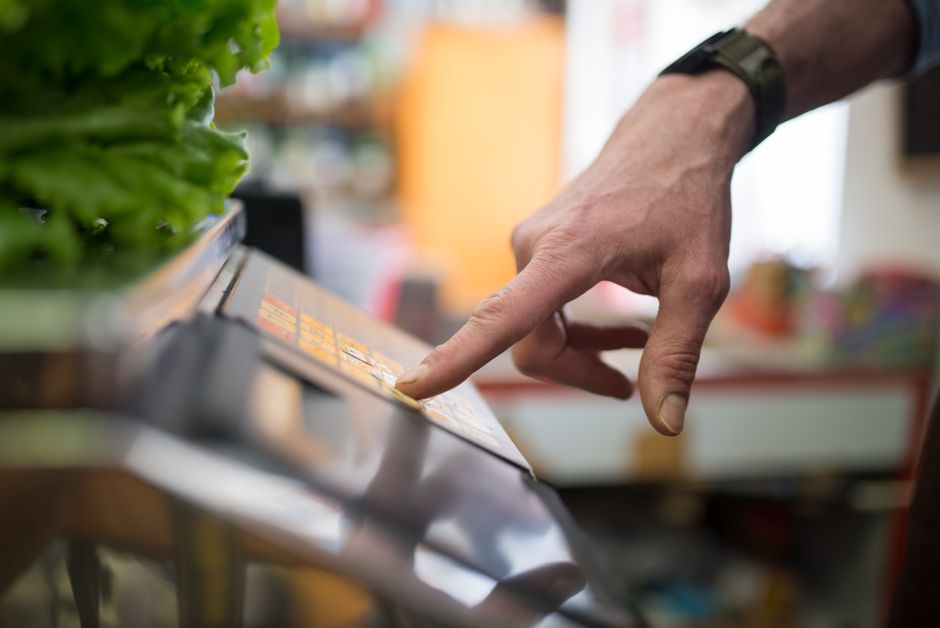
Working a grocery store cash register means moving each order through a fixed sequence: scan or key each item, bag the groceries, read the total to the customer, take payment, count back change if it is cash, then close the transaction and start again. Most modern registers are point-of-sale (POS) systems with a touchscreen, a barcode scanner, a cash drawer, and a card terminal. The steps are the same on nearly every system. Once you learn the order, the job becomes rhythm rather than memorization.
What Happens Before the First Customer Arrives?
Setup is short, but skipping it causes problems later. Most stores require a cashier to sign in with a personal code or badge before the register will open.
You will usually count a starting cash amount, called a till or drawer fund. The amount varies by store — it is not standardized across the industry. You sign or initial a slip confirming the count. From that moment, the register tracks every dollar that passes through it. Any shortage or overage at the end of your shift traces back to that starting number.
Check three things before you open:
- The receipt paper roll has enough left and is threaded correctly
- The scanner reads a test item cleanly
- The card terminal is powered on and connected
If the drawer will not open or the scanner fails, tell a supervisor before your first sale. Fixing a register mid-line is far harder than fixing it beforehand.
How Do You Process an Order Step by Step?
The core loop is scan, bag, total, pay, close. Each part has small details that separate a smooth cashier from a slow one.
Scanning and Entering Items
Pick up each item, find the barcode, and pass it over the scanner window. Wait for the beep and watch the screen confirm the item and price. Do not scan the next item until the first one registers. Double scans are one of the most common beginner errors, and they mean a refund or a void.
Some items have no usable barcode — loose produce, deli items, bakery goods, or damaged labels. These get keyed in by a PLU code (a short number that identifies the item) or looked up on the screen. Many registers also have a scale built into the scanner area for weighed goods.
Age-restricted items such as alcohol and tobacco require an ID check. Store policy and state law govern this, and the rules differ by location. When in doubt, ask for ID. A refused sale is a minor inconvenience. A sale to a minor can cost you the job and the store its license.
Bagging as You Go
Bag while you scan, not after. Group cold items together, keep cleaning products away from food, and put heavy items at the bottom. Ask the customer if they want help out or need their items separated.
Bagging speed matters, but accuracy matters more. A crushed loaf of bread or a leaking container costs the store money and the customer’s trust.
Reading the Total and Taking Payment
Tell the customer the total clearly. Then wait. Most customers will tap, insert, or swipe a card on the terminal. Card payments usually process automatically once the customer completes them.
Cash works differently, and it is where new cashiers make mistakes. If the customer hands you cash, state the amount out loud as you place it on the drawer ledge — not into the drawer yet. For example, “Out of twenty.” This creates a record if there is a dispute about what was handed over.
Counting Back Change
Count change back into the customer’s hand rather than handing over a lump sum. Start from the total and count up to the amount they gave you. If the total is $12.40 and they gave you $20, count the coins to the next dollar, then the bills up to $20.
Counting up is easier to follow and easier to check. The register displays the change owed, but counting it back yourself catches errors before the customer leaves the counter.
Closing the Transaction
Hand over the receipt — printed or digital, depending on what the customer wants. Thank them. Then close the sale on the register so the drawer resets for the next order.
If you made an error, correct it before the customer leaves. Most systems have a void or item-correct function. Some stores require a supervisor key for voids above a certain amount. Learn your store’s rule early.
How Do You Handle Common Problems at the Register?
Problems at the register are normal, not exceptional. The skill is knowing which ones you can fix and which ones need a manager.
Price does not match the shelf tag. Call for a price check rather than guessing. Many stores have a policy that honors the shelf price if it is lower, but that is store-specific — confirm the rule with your supervisor rather than assuming.
Item will not scan. Try the barcode once more at a different angle. If it still fails, key in the number manually or look it up. Do not invent a price.
Card declines. The customer can try another card or pay cash. Do not run the same card repeatedly — some systems flag repeated attempts. Stay neutral; a decline says nothing about the person in front of you.
Coupons and discounts. Scan or key them exactly as the system directs. Expired coupons, manufacturer limits, and stacking rules vary widely. When unsure, call a supervisor.
Drawer will not open or the system freezes. Stop and get help. Do not force the drawer or restart the system yourself unless your training says to.





What Are the Most Common Cashier Mistakes?
Most register errors come from a handful of habits, and all of them are fixable with practice.
- Leaving the drawer open. Close it after every transaction. An open drawer is a security risk and a sign the sale was not finished.
- Putting cash in before stating the amount. State it first, then place it in the drawer after making change.
- Rushing the scan. Double scans and missed items cost more time than a steady pace.
- Ignoring the screen. The display confirms each item, price, and running total. Reading it is your main error check.
- Skipping the ID check. Age-restricted sales are the highest-risk part of the job.
One thing new cashiers often miss: the register is a record, not just a tool. Every void, refund, and no-sale drawer opening is logged. A clean transaction history protects you as much as the store.
How Do You Close Out a Register at the End of a Shift?
Closing out means reconciling the drawer against what the system says should be there.
Most stores have you sign off the register, print or record a close report, and count the drawer — often with a second person present. The counted cash is compared to the expected total. A small difference is common; a large one triggers a review.
If your count is off, say so immediately rather than adjusting the numbers. Honest reporting is expected. Hiding a shortage is a serious problem; reporting one is routine.
Before you leave, restock receipt paper, tidy the lane, and note any equipment issues for the next shift.
What Should You Know Before Your First Shift?
Every store trains on its own system, and the specific buttons differ. What carries across nearly all of them is the sequence: scan, bag, total, pay, make change, close.
Ask your supervisor three questions on day one: how to void an item, how to call for a price check, and what the store’s ID policy is for age-restricted sales. Those three answers cover most of what will slow you down in your first week.
Speed comes with repetition. Accuracy comes first. A cashier who is steady and correct will always outperform one who is fast and error-prone.
Frequently Asked Questions
How do you count back change correctly?
Start from the total and count up to the amount the customer gave you, handing the coins first and then the bills. Counting up makes the change easy for the customer to follow and easy for you to check.
What is a PLU code on a cash register?
A PLU (price look-up) code is a short number that identifies an item without a barcode, such as loose produce or bakery goods. You key it in or select it on the screen so the register pulls up the correct price.
What should you do if an item will not scan?
Try the barcode once more at a different angle, then key in the number manually or look the item up on the screen. If you still cannot find the price, call a supervisor rather than guessing.
Do you have to check ID for age-restricted items?
Yes — alcohol, tobacco, and other age-restricted products require an ID check under store policy and state law. The exact rules vary by location, so confirm your store’s policy before your first shift.
