
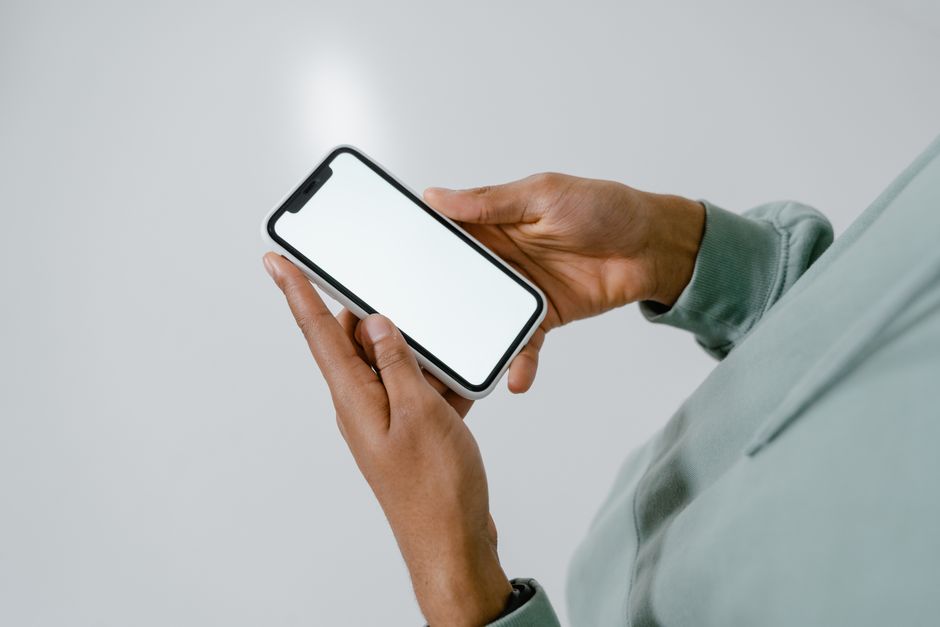
You can safely clean a cell phone with a soft microfiber cloth, a little distilled water or a 70% isopropyl alcohol wipe, and patience. The two things that cause damage are liquid getting into openings and abrasive materials scratching the glass or wearing down the screen’s coating. Clean the screen and back gently, keep moisture away from ports and speakers, and never spray anything directly onto the phone.
Most phones pick up more grime than people expect. A device that travels from pocket to desk to dinner table collects oils, dust, and microbes. Cleaning it properly takes about a minute and protects both the phone and your hands.
What Supplies Do You Actually Need To Clean A Cell Phone?
You need very little, and the safest tools are the ones already in most homes. Skip the heavy-duty products.
- Microfiber cloths — two is ideal, one for the screen and one for the body. Microfiber lifts oil and dust without scratching.
- Distilled water — tap water leaves mineral residue and carries more contaminants. A few drops on a cloth is plenty.
- 70% isopropyl alcohol — the concentration matters. Higher percentages evaporate too fast and can be harsher on coatings; lower percentages leave more water behind.
- Cotton swabs or a soft-bristled brush — for the crevices around buttons, the camera bump, and speaker grilles.
- Wooden toothpicks — for loosening lint from port edges without scratching.
What you should not use: paper towels, tissues, glass cleaner, bleach, vinegar, compressed air blasted into openings, or any product labeled abrasive. Paper products can leave fine scratches over time. Ammonia-based glass cleaners can strip the oleophobic coating on a screen — the thin layer that repels fingerprints and makes smudges easier to wipe away.
One clarification worth knowing: the oleophobic coating is a real, thin chemical layer, not a marketing term. It wears off naturally with use, and harsh cleaners speed that up. Once it fades, fingerprints return faster and the screen feels less slippery. That is normal wear, not damage you caused, but aggressive cleaning accelerates it.
How To Clean A Cell Phone Without Damaging It?
The core method is simple: power down, wipe with a barely damp cloth, and keep liquid away from every opening. Follow these steps in order.
- Turn the phone off and unplug it. This prevents accidental inputs and reduces risk if any moisture reaches internal parts.
- Remove the case and screen protector. Clean them separately. Grime trapped between the case and phone is often the worst of it.
- Wipe the screen with a dry microfiber cloth first. Dry wiping removes loose dust and grit. Wiping grit around with a wet cloth is how micro-scratches happen.
- Dampen a clean corner of the cloth with distilled water or 70% isopropyl alcohol. Wring it so it is barely damp — no drips, ever.
- Wipe the screen and back in gentle, overlapping passes. No circular scrubbing, no pressure.
- Use a dry swab or soft brush for crevices. Work lint out of speaker grilles and port edges gently.
- Let everything air dry completely before reassembling. A few minutes is usually enough for a barely damp surface.
Never spray liquid directly onto the phone. Spray goes onto the cloth, always. Liquid sprayed at a screen finds its way into seams, microphone holes, and charging ports through capillary action.
For the charging port, a dry wooden toothpick used gently along the inner edge can lift compacted lint. Do not dig deep or use metal. If the port looks corroded or the phone will not charge after cleaning, that is a repair-shop problem, not a cleaning problem.
Is It Safe To Use Alcohol Wipes On A Phone Screen?
Yes, for most modern phones with glass screens, 70% isopropyl alcohol wipes are considered acceptable by major manufacturers. Apple has stated that 70% isopropyl alcohol wipes, 75% ethyl alcohol wipes, and Clorox-style disinfecting wipes are okay for hard, non-porous surfaces like the screen and back — used gently and not on openings.
Two cautions. First, alcohol can dull or damage some screen protectors and certain plastic-backed cases, so check the protector’s own guidance. Second, alcohol is a solvent. Repeated heavy use over years may contribute to coating wear, though the coating fades with normal use anyway.
What about leather or fabric-backed phones and cases? Alcohol dries and can discolor leather. Use a barely damp water cloth there instead, and spot-test a hidden area first.
Disinfecting wipes are a different category from cleaning wipes. A disinfecting wipe is formulated to kill germs on surfaces and typically contains alcohol or other active ingredients. Cleaning wipes just lift soil. For routine cleaning, plain damp microfiber is enough. For disinfecting, a 70% alcohol wipe is the better-documented choice.




How Often Should You Clean Your Phone?
There is no official clinical guideline on cleaning frequency for phones. Common sense and hygiene practice suggest a light wipe daily or every few days, and a more thorough clean weekly.
Clean more often if you use the phone in the bathroom, at meals, at the gym, or if someone in the household is sick. During cold and flu season, a daily wipe of the screen and back is reasonable. If you share your phone with a child or someone with a weakened immune system, more frequent cleaning makes sense.
Do not overdo it. Constant wet wiping offers no extra benefit and adds wear. The goal is removing oil, dust, and grime — not sterilizing the device.
Does Cleaning A Phone Actually Reduce Germs And Illness?
Phones do carry bacteria and other microbes, and cleaning reduces what is on the surface. That much is well established. What is not established is how much phone cleaning reduces actual illness in real life.
No large human trials have shown that regularly cleaning your phone lowers your risk of getting sick. The evidence for hand hygiene reducing infection is strong; the evidence for phone hygiene as a separate intervention is much weaker. That does not mean cleaning is pointless — it means the benefit is plausible but not proven at the level of disease outcomes.
Some studies have found that phones can harbor bacteria at levels comparable to other everyday objects like keyboards and kitchen sponges. That is a reason for reasonable hygiene, not alarm. The bigger lever for most people remains washing hands, especially before eating and after using the bathroom.
What Can Damage A Phone During Cleaning?
Most phone damage during cleaning comes from liquid, abrasion, or heat — not from the act of wiping. Here is what to avoid.
- Liquid in openings. Water or alcohol entering the charging port, speaker grilles, or microphone holes can cause corrosion or short circuits. This is the most common cleaning-related failure.
- Abrasive cloths and cleaners. Paper towels, scouring pads, and ammonia cleaners scratch glass and strip coatings.
- Compressed air into ports. Blasting air can push debris deeper or damage tiny microphone membranes.
- Heat. Hair dryers and hot air guns warp adhesives and can damage internal components. Air dry instead.
- Submerging or rinsing. Even water-resistant phones are rated for specific conditions, not for washing under a tap. Water resistance ratings are tested under controlled lab conditions and degrade as seals age.
One non-obvious point: a phone rated water-resistant is not waterproof, and the rating is not a cleaning instruction. Manufacturers test resistance under specific conditions, and seals can weaken with drops, heat, and age. Treat every phone as if liquid could get in.
How Should You Clean A Phone Case And Screen Protector?
Clean the case and protector separately, because they take more abuse than the phone itself. Most plastic and silicone cases tolerate mild soap and water.
- Plastic, silicone, and TPU cases: remove, rinse, and wash with a little dish soap and warm water. Scrub gently with a soft brush, rinse, and air dry fully before putting it back.
- Leather cases: wipe with a barely damp cloth and let dry away from heat. Avoid soaking and alcohol.
- Screen protectors: wipe with a microfiber cloth and a little 70% alcohol if the protector is glass. Replace protectors that are cracked, bubbling, or scratched — a damaged protector can trap grit against the screen.
Do not put cases in the dishwasher or washing machine. Heat and tumbling can warp them and damage any metal components.
What About UV Phone Sanitizers?
UV sanitizer boxes are marketed heavily, and the evidence is limited. Some studies suggest UV light can reduce microbes on surfaces under controlled conditions, but how well consumer devices perform in real use is not well established.
No large trials have shown that UV phone sanitizers reduce illness. They also do not remove oil, dust, or grime — the things that actually make a phone feel dirty. If you use one, still wipe the phone with a microfiber cloth. A damp wipe remains the simplest and best-documented approach to routine cleaning.
Frequently Asked Questions
Can I use hand sanitizer to clean my phone?
Yes, a small amount of 70% alcohol hand sanitizer on a microfiber cloth is generally fine for glass screens. Do not apply it directly to the phone, and avoid gel formulas that leave sticky residue in crevices.
Can I clean my phone with just water?
Yes, distilled water on a barely damp microfiber cloth is enough for routine cleaning. Water removes dust and light oils but does not disinfect as effectively as 70% isopropyl alcohol.
Is it safe to use Clorox wipes on a phone?
Manufacturers including Apple have stated that disinfecting wipes are acceptable on hard, non-porous surfaces like the screen and back. Wipe gently, avoid openings, and do not let liquid pool around edges or ports.
How do I clean the charging port on my phone?
Use a dry wooden toothpick to gently lift lint from the inner edge, and never insert metal or liquid. If the port still will not charge or looks corroded, have it inspected by a repair professional.
