
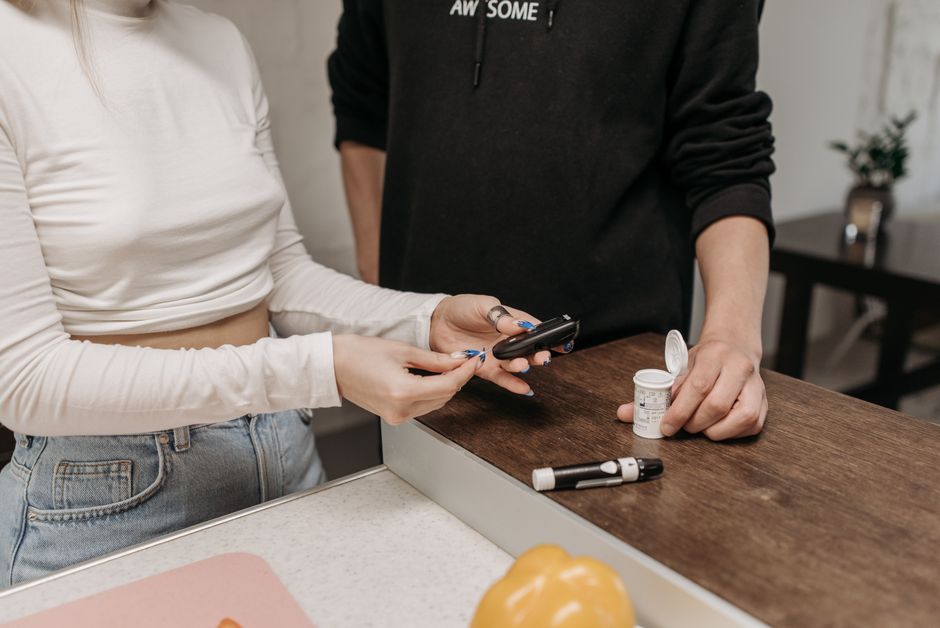
Omnipod 5 is an automated insulin delivery system. It combines a wearable insulin pod, a continuous glucose monitor, and a small controller or smartphone app that adjusts insulin delivery automatically. Setup has two distinct phases: initial pod and sensor pairing, and the ongoing choice between automated mode and manual mode. Getting the setup right matters because the system’s automatic adjustments depend entirely on accurate settings and a working sensor connection.
What Is Omnipod 5 and How Does It Work?
Omnipod 5 is a tubeless insulin pump system that communicates wirelessly with a continuous glucose monitor (CGM) and adjusts background insulin delivery based on sensor readings. The pod itself holds insulin and is worn directly on the skin, typically for up to three days before replacement.
The system uses a target glucose value set by the user’s healthcare provider. It predicts where glucose is heading and adjusts insulin delivery to try to keep glucose near that target. This is the core of what makes it an automated insulin delivery (AID) system rather than a standard pump.
The system has two operating modes: automated mode and manual mode. Automated mode uses CGM data to adjust insulin automatically. Manual mode delivers insulin according to fixed settings without automatic adjustment. Understanding when and why to use each mode is central to using the system well.
Omnipod 5 requires a prescription and is intended for people with type 1 diabetes. It is also cleared for use in some people with type 2 diabetes who require insulin, though eligibility depends on individual clinical assessment. It is not a cure and does not eliminate the need to count carbohydrates or manage insulin manually in some situations.
How Do You Set Up Omnipod 5 for the First Time?
Initial setup is done with guidance from a healthcare provider or diabetes educator. The system should not be configured without clinical input, because incorrect settings can lead to dangerous glucose levels.
The setup process generally follows these steps:
- Fill the pod with the prescribed insulin (U-100 rapid-acting insulin is used).
- Apply the pod to an approved site — abdomen, upper arm, or lower back are typical.
- Activate the pod using the controller or smartphone app.
- Pair the CGM sensor so the system can receive glucose readings.
- Enter or confirm basal settings, insulin-to-carbohydrate ratio, correction factor, and target glucose — all provided by the prescribing clinician.
- Start automated mode once the sensor is warmed up and transmitting.
The CGM sensor must be paired and warmed up before automated mode can function. Without a working sensor signal, the system falls back to a limited delivery rate rather than automated adjustment. This is a safety feature, not a malfunction.
Setup settings — particularly total daily insulin dose — directly affect how aggressively the system adjusts delivery. These values should come from the prescribing clinician, not be estimated independently.
How To Use Omnipod 5 Setup Modes And Tips for Daily Management
Daily use revolves around keeping the sensor connected, responding to alerts, and knowing when automated mode is and is not appropriate. The system works best when the CGM stays connected and the pod is changed on schedule.
Practical tips that reflect how the system is designed to be used:
- Change the pod before it expires rather than waiting for an alarm, to avoid gaps in delivery.
- Keep the CGM sensor within range of the controller or phone — Bluetooth range is limited and walls can interrupt the signal.
- Enter carbohydrate counts for meals, since the system does not detect meals automatically.
- Check that automated mode is active after every pod change.
- Carry manual insulin delivery supplies as a backup in case of pod failure.
One point that is often misunderstood: automated mode does not mean hands-off. The system adjusts background insulin, but the user still counts carbohydrates and delivers meal boluses manually. It reduces some of the burden of glucose management but does not remove it.
Pod placement affects insulin absorption. Rotating sites and avoiding areas with scar tissue or overused skin helps consistent absorption. Insulin absorption can vary between sites, which is one reason glucose patterns can shift after a site change.





What Is the Difference Between Automated Mode and Manual Mode?
Automated mode uses CGM readings to adjust insulin delivery automatically within limits set by the clinician. Manual mode delivers insulin according to fixed basal rates without automatic adjustment, similar to a standard insulin pump.
The table below summarizes the practical differences:
| Feature | Automated Mode | Manual Mode |
|---|---|---|
| Insulin adjustment | Automatic, based on CGM data | Fixed rates set by user/clinician |
| Requires CGM | Yes | No |
| Meal boluses | Still entered manually | Entered manually |
| Typical use | Routine daily management | Sensor issues, certain activities, clinician guidance |
Manual mode is used when the sensor is unavailable, during certain medical procedures, or when a clinician advises it. Some people also use it during activities where they want fixed delivery. The decision to switch modes should follow clinical guidance rather than personal preference alone.
Switching to manual mode means the system no longer adjusts for glucose trends. This requires the user to monitor glucose more actively and manage insulin delivery themselves.
What Should You Know About Sensor and Pod Management?
The system depends on a continuous stream of CGM data. When the sensor signal is lost, automated mode cannot function as intended. The system responds by delivering insulin at a reduced, pre-set rate until the signal returns — a safety design to avoid over-delivery without glucose feedback.
Sensor warm-up takes time after insertion, and automated mode cannot start until warm-up is complete and readings are transmitting. Planning sensor changes around meals and overnight periods reduces the chance of gaps during times when glucose management is most important.
Pod changes require priming and activation, which takes several minutes. Keeping a spare pod and insulin on hand is standard practice. Pod failures happen, and having supplies ready prevents extended interruptions in insulin delivery.
Insulin in the pod is affected by temperature. Very hot or cold environments can degrade insulin, so pods should not be exposed to extreme temperatures. This is a general principle of insulin storage that applies to all insulin delivery methods.
What Are the Safety Considerations?
Omnipod 5 is a prescription medical device and requires clinical oversight. Settings should be established and adjusted by a healthcare provider familiar with the person’s diabetes management.
Automated insulin delivery systems reduce some risks but do not eliminate them. Hypoglycemia (low blood glucose) and hyperglycemia (high blood glucose) remain possible. The system’s automatic adjustments have limits, and situations can arise that require manual intervention.
Users should know the signs of low blood glucose and how to treat it. They should also know when to check blood glucose with a fingerstick — for example, when symptoms do not match sensor readings, or when readings seem inaccurate. CGM readings can lag behind actual blood glucose in some situations.
Anyone using the system should have a plan for pod failure, sensor failure, and periods when automated mode cannot run. This plan should be developed with the prescribing clinician.
No large trials have established the long-term outcomes of this specific system across all populations. The evidence base for automated insulin delivery systems generally supports improved glucose control compared with standard pump therapy in type 1 diabetes, but individual results vary and depend on correct setup and use.
How Do You Know If Your Setup Is Working?
The clearest sign of a working setup is that automated mode stays active and the sensor signal remains connected through the day. Frequent drops out of automated mode usually point to a sensor or connectivity issue rather than a problem with the insulin itself.
Glucose patterns over days and weeks — reviewed with a clinician — show whether settings are appropriate. A single high or low reading does not indicate a setup problem. Trends matter more than individual readings.
If automated mode keeps turning off, the sensor signal is lost repeatedly, or glucose patterns change noticeably after a setup change, that is a reason to contact the prescribing clinician rather than adjust settings independently. Changes to basal rates, target glucose, and insulin ratios should come from clinical guidance.
Frequently Asked Questions
Can you use Omnipod 5 without a CGM?
Yes, but only in manual mode, which delivers insulin at fixed rates without automatic adjustment. Automated mode requires a working CGM signal.
How often do you change the Omnipod 5 pod?
The pod is typically worn for up to three days before replacement. Follow the manufacturer’s instructions and your clinician’s guidance for exact timing.
Does Omnipod 5 adjust insulin for meals automatically?
No. The system adjusts background insulin automatically, but meal boluses must still be entered manually based on carbohydrate intake.
What happens if the sensor signal is lost?
The system delivers insulin at a reduced pre-set rate until the signal returns. This is a safety design to avoid over-delivery without glucose feedback.
