
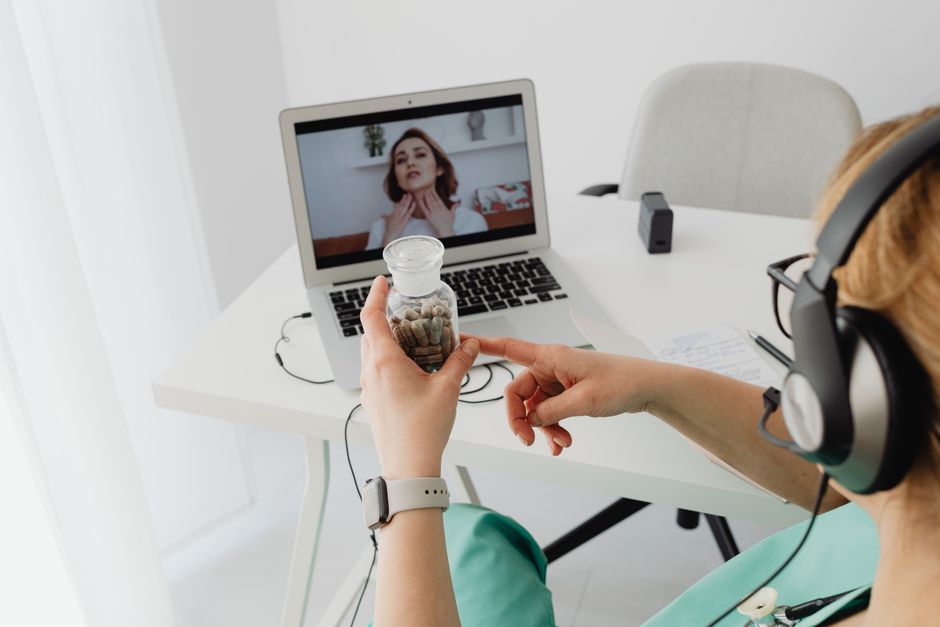
Telehealth on a computer is simpler than most people expect. You need a device with a camera and microphone, a stable internet connection, and a link or app provided by your healthcare provider. From there, you join a virtual waiting room, verify your identity, and speak with your clinician by video. No special equipment is required beyond what most laptops and desktops already have built in.
What trips people up is not the technology itself. It is the preparation — testing audio, knowing what platform your provider uses, and understanding what a telehealth visit can and cannot do. This guide walks through the practical steps and the limits worth knowing before your first appointment.
What Do You Actually Need To Set Up Telehealth On Your Computer?
The basic requirements are modest. A computer with a working camera, a microphone, speakers or headphones, and an internet connection is enough for most video visits. A wired or stable Wi-Fi connection matters more than raw speed for video quality.
Beyond hardware, you need three things from your provider:
- A link to the visit or instructions to install a specific app
- Login credentials or a check-in code
- A phone number to call if the video fails
Most telehealth platforms run in a web browser, which means you often do not need to install anything. Some providers use a dedicated app instead. Ask which one your clinic uses when you schedule the appointment. That single question prevents most first-visit problems.
Headphones with a built-in microphone tend to produce clearer audio than laptop speakers and a built-in mic. This is not required, but it reduces echo and feedback, which can make a visit harder to conduct. A quiet room with a closed door matters just as much.
How To Set Up And Use Telehealth On Your Computer Step By Step
Set up before the day of your appointment, not five minutes before it starts. Testing your camera and microphone in advance catches problems while you still have time to fix them.
Before the visit
- Check that your camera and microphone work. Most computers have a settings menu where you can test both.
- Confirm your browser is up to date. Older browsers can block video or audio.
- Allow camera and microphone permissions when your browser asks. If you accidentally clicked “block,” you can change this in your browser’s site settings.
- Test your internet connection by making a short video call to a friend or family member.
- Write down your symptoms, questions, and current medication list.
- Have your insurance card and a photo ID nearby, since some visits require identity verification.
On the day of the visit
- Join the visit link a few minutes early. Many platforms place you in a virtual waiting room.
- Confirm your name and date of birth when asked. This is a standard identity check.
- Position your camera at eye level and face a light source rather than having a window behind you.
- Keep a phone nearby in case the video drops and your clinician calls instead.
If the video fails entirely, do not assume the visit is canceled. Many clinics switch to a phone call. Call the number on your appointment confirmation if you cannot reconnect.
Which Telehealth Platforms Do Providers Commonly Use?
Providers choose platforms based on their health system, insurance contracts, and state rules. You usually do not get to pick. What you can do is find out in advance which one you will use.
Some platforms work entirely in a browser. Others require downloading an app. A few integrate directly into a patient portal you may already use for messaging your doctor or viewing test results. If you have used a patient portal before, check there first — the video visit link is often inside it.
One detail people miss: some platforms send the visit link by text message or email only a short time before the appointment. If you have not received a link, check your spam folder and your patient portal before calling the clinic.





What Can A Telehealth Visit Actually Handle?
Telehealth works well for conditions that can be assessed by conversation and visual inspection. This includes many follow-up visits, medication management, mental health counseling, and discussions of lab results.
It is less suited to anything requiring a physical exam, hands-on testing, or procedures. A clinician cannot palpate your abdomen, listen to your heart with a stethoscope, or perform a strep test through a screen. Some conditions that seem straightforward — like an ear infection in a child — often need in-person examination to diagnose accurately.
Certain symptoms should prompt emergency care rather than a telehealth visit. Chest pain, difficulty breathing, signs of stroke such as sudden weakness or slurred speech, and severe bleeding are emergencies. Call 911. Telehealth is not designed for these situations.
For everything in between, the honest position is that telehealth can be effective for some conditions and not others. Research on telehealth outcomes is mixed across different specialties, and it continues to evolve. Your clinician is the right person to judge whether your specific concern can be handled remotely.
Is Telehealth Private And Secure?
Reputable telehealth platforms use encryption to protect your visit, similar to what banks use for online transactions. Providers are generally required to use platforms that meet privacy standards under laws like HIPAA in the United States.
Your own setup matters too. Join from a private space rather than a coffee shop or shared office. Use your own device rather than a borrowed one. Avoid public Wi-Fi when possible, since public networks carry more risk than a home connection.
Recording a telehealth visit without your provider’s knowledge raises legal and privacy issues and is not recommended. If you want a record of the visit, ask your clinician for visit notes through the patient portal.
What If You Are Not Comfortable With Technology?
You are not alone, and clinics know this. Many health systems offer phone-based visits as an alternative, and some provide technical support before your appointment. Ask when you schedule whether a staff member can walk you through the setup.
A family member or friend can sit with you during the visit to help with the technology. This is common and generally allowed, though your clinician may ask for your permission before they participate in the medical discussion.
The most useful thing you can do is a practice run. Call a friend using the same video app or browser your clinic uses. Once you have done it once, the second time is easier.
Does Insurance Cover Telehealth On A Computer?
Many insurance plans cover telehealth visits, and Medicare and Medicaid have expanded telehealth coverage in recent years. Coverage rules have changed over time and vary by plan, state, and type of visit.
Before your appointment, confirm three things with your insurance company or the clinic’s billing office:
- Whether the specific visit type is covered
- What your copay or cost-sharing amount is
- Whether the provider you are seeing is in your network
Do not assume a telehealth visit costs the same as an in-person one. Sometimes it does, sometimes it does not. A quick call ahead of time avoids a surprise bill.
Frequently Asked Questions
Do I need to download software for a telehealth visit?
Often no. Many platforms run directly in a web browser without any download. Some providers require a specific app, so confirm which one your clinic uses when you schedule.
What if my camera or microphone does not work during the visit?
Call the clinic’s phone number right away. Many providers can switch to a phone visit or help you troubleshoot. Testing your equipment before the appointment prevents most of these problems.
Can I use a desktop computer without a webcam for telehealth?
Not for a video visit, since the clinician needs to see you. You can still have a phone-based visit if your provider offers one. An external webcam is a low-cost option if your desktop lacks a built-in camera.
Is a telehealth visit as good as an in-person visit?
For some conditions, yes, and for others, no. The evidence varies by specialty and condition. Your clinician can tell you whether your specific concern can be handled remotely or needs an in-person exam.
