
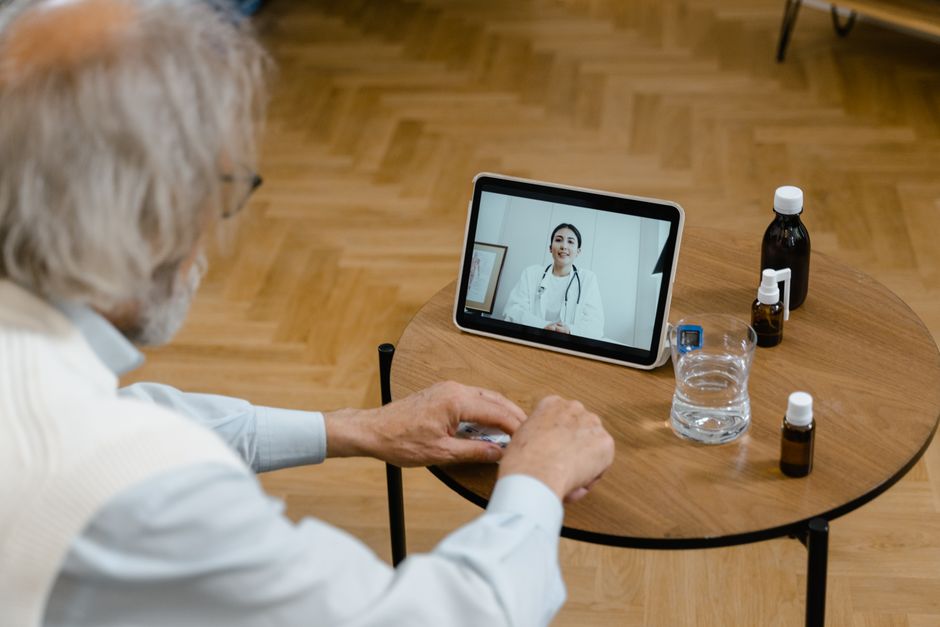
A telehealth visit can save you time and keep you safe from unnecessary exposure to illness. But it only works well if you prepare for it the right way. The steps are simple: confirm your appointment details, test your technology, gather your health information, list your medications, and set up a quiet, private space for the call. Follow these steps in order and your virtual appointment will run as smoothly as an in-person one.
What Exactly Is a Telehealth Visit?
Telehealth is a medical appointment that happens over video or phone instead of in a clinic. You talk with your doctor, nurse practitioner, or specialist in real time. For many routine concerns, it works just as well as an office visit.
Common uses include medication refills, follow-up visits, mental health counseling, skin rash checks, and discussion of lab results. Some doctors also use telehealth to assess new symptoms and decide if you need to come in for testing. Not every medical problem can be handled remotely, but more can be handled this way than most people realize.
Your insurance may cover telehealth the same way it covers office visits. Coverage varies by plan and state, so it is worth checking before your appointment. Ask your insurance company directly if you are unsure.
Step 1: Confirm the Appointment Details
Before anything else, verify the basics. You should know the date, time, and type of visit. Is it video or phone? Some visits are scheduled as video but can be switched to phone if your connection fails.
Ask which platform the clinic uses. Many use dedicated patient portals like MyChart or specific apps like Doxy.me or Zoom for Healthcare. Each platform works a little differently. Knowing which one you need ahead of time prevents last-minute scrambling.
Also confirm who you will be meeting with. Is it your regular doctor or a covering provider? If it is a covering provider, they may not know your full history. That makes your preparation even more important.
Step 2: Test Your Technology Before the Call
Technology failure is the most common reason telehealth visits go wrong. Test everything at least an hour before your appointment time.
Check your internet connection. A stable connection matters more than speed. If your Wi-Fi is unreliable, plan to use your phone’s cellular data instead. Close other programs and apps that might use bandwidth during the call.
Test your camera and microphone. Most laptops and phones have built-in cameras and mics that work fine. If you are using a computer, check that your browser has permission to access the camera and microphone. Many telehealth platforms require you to grant these permissions when you join the call.
Make sure your device is charged or plugged in. A dead battery in the middle of an appointment wastes everyone’s time.





Step 3: Gather Your Health Information
Your doctor needs the same information they would use in person. Have it ready before the call starts. Do not expect to remember everything on the spot.
Write down your current symptoms and when they started. Be specific. Instead of “I feel tired,” write “I have felt tired every afternoon for the past two weeks, and it is affecting my work.” Details like this help your doctor make better decisions.
Have your vital signs ready if you have a way to measure them at home. This includes your temperature, blood pressure, and weight. Home blood pressure cuffs are reliable if they are properly calibrated. If you do not have a cuff, tell your doctor that you do not have one rather than guessing.
Bring a list of any recent tests or procedures. If you saw a specialist recently, have the name of that specialist and the date of your visit. You may also want to have the name and phone number of your pharmacy handy.
Step 4: Make a Complete Medication List
Your medication list is one of the most important things you can bring to any appointment. For telehealth, it is absolutely essential because your doctor cannot physically check your pill bottles.
Write down every medication you take, including over-the-counter drugs, vitamins, and supplements. Include the dose and how often you take each one. For example: “Lisinopril 10 mg, once daily in the morning.”
If you are unsure about a dose, check the bottle before the call. Do not guess. The same applies to supplements and herbal products. Many people do not think of these as medications, but they can interact with prescription drugs.
If you take multiple medications, this list takes time to prepare. Start it the day before your appointment, not five minutes before the call.
Step 5: Set Up a Private, Quiet Space
Your appointment is confidential medical information. You need a space where you can speak freely without being overheard.
Choose a room with a door you can close. Tell family members or roommates that you need privacy for the duration of the call. If you have children at home, arrange for someone else to watch them during the appointment.
Consider your background. A neutral wall or a tidy room works well. You do not need a professional studio setup, but a cluttered or distracting background can make the visit feel less focused.
Lighting matters more than people expect. Sit facing a window or a lamp. Avoid having a bright light behind you, which makes your face hard to see. Your doctor needs to see your face clearly to assess your appearance and mood.
Step 6: Write Down Your Questions
You will forget questions during the appointment. Everyone does. Write them down beforehand and keep the list in front of you.
Prioritize your questions. Put the most important one first in case time runs short. Telehealth visits are often shorter than office visits, so you want to make sure your top concern gets addressed.
Your questions might include things like: “When should I expect results from this test?” or “What symptoms should make me call back?” or “Is this medication safe to take with my other prescriptions?” Write them exactly as they come to mind, then organize them before the call.
Step 7: Log In Early and Have a Backup Plan
Log in five to ten minutes before your scheduled time. This gives you a buffer if the platform needs updates or if you run into a technical issue. Many clinics have virtual waiting rooms where you will wait until the provider is ready.
Have a backup plan in case the video fails. The most common backup is a phone call. Keep your phone nearby and make sure the clinic has your current phone number. If the video connection drops, your doctor may call you directly.
If you have trouble joining the visit, call the clinic’s front desk. Do not wait for them to contact you. Most clinics have staff who can help you troubleshoot or switch you to a phone visit.
Frequently Asked Questions
What should I wear to a telehealth appointment?
Wear comfortable clothing similar to what you would wear to an office visit. Avoid pajamas if you want the visit to feel professional, and skip busy patterns that can be distracting on camera.
Can a telehealth visit prescribe new medications?
Yes, doctors can prescribe medications during telehealth visits when appropriate. Controlled substances have additional restrictions in some states, so ask your provider if you have concerns.
What if I need a physical exam during my telehealth visit?
Your doctor will guide you through self-exam steps you can do at home, like checking your own throat or pressing on a specific area. If a hands-on exam is truly needed, your doctor will schedule an in-person visit.
Is my telehealth visit private and secure?
Reputable telehealth platforms use encrypted connections to protect your information. Your visit is also protected by the same medical privacy laws that apply to in-person care.
What to Do After the Telehealth Visit
Do not end the call without knowing the next steps. Ask for clear instructions before the provider hangs up.
Confirm any follow-up appointments, lab orders, or referrals. Ask when you should expect results and how you will receive them. If your doctor prescribed a new medication, confirm the pharmacy and ask about common side effects.
If you need a sick note for work or school, request it during the visit. Getting it afterward requires an extra phone call or portal message.
Write down the instructions as you hear them. Do not rely on memory. If something is unclear, ask your doctor to repeat it in plain language.
Telehealth works best when both sides come prepared. Your doctor has your chart and their expertise. You bring your symptoms, your medication list, your questions, and a working connection. That combination makes for a productive visit.
