
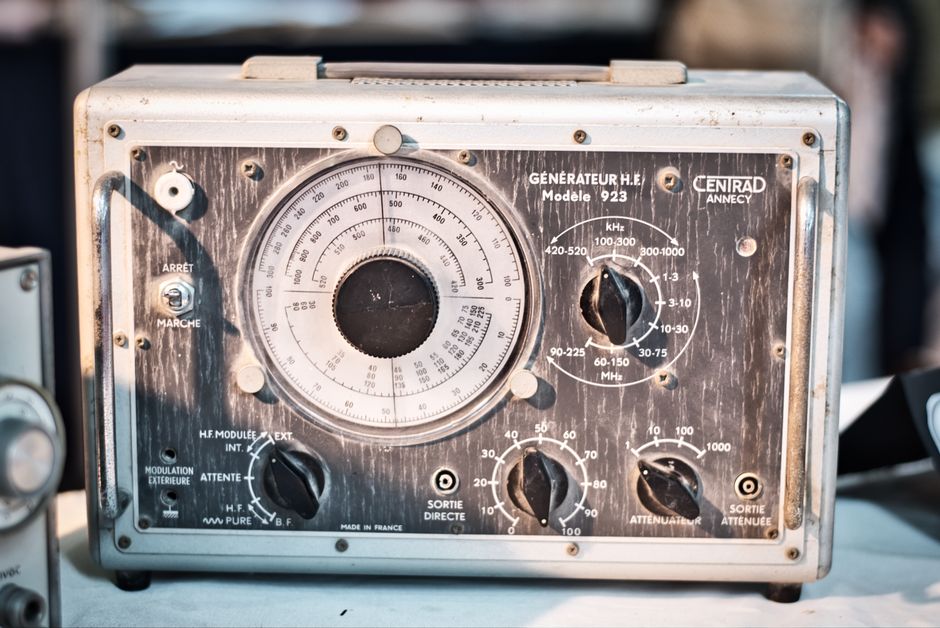
You can measure the frequency (hertz) of a phone’s audio output using a multimeter that has a frequency measurement mode. Connect the multimeter probes to the phone’s headphone jack or speaker output, set the multimeter to the Hz setting, and play a test tone from a signal generator app. The reading on the display tells you the frequency in hertz.
What Is Frequency and Hertz?
Frequency is the number of times a signal repeats itself in one second. One hertz (Hz) equals one cycle per second. In the context of a phone, frequency applies to audio signals (like tones, music, or voice) and to electrical signals from the phone’s circuits or charging port. A multimeter that can measure frequency counts these cycles and displays the result in Hz.
Standard audio frequencies range from 20 Hz to 20,000 Hz (20 kHz). Phones output audio through speakers, headphones, or the charging port (when using certain accessories). Measuring these frequencies with a multimeter is possible as long as the multimeter’s frequency range covers the signal you are testing.
Can a Multimeter Measure Frequency From a Phone?
Only multimeters with a dedicated frequency measurement function can read hertz from a phone. Basic multimeters that measure only voltage, current, and resistance cannot measure frequency. Look for a Hz setting on the dial or a button labeled “Hz.” Many modern digital multimeters include frequency measurement up to several megahertz.
Even if your multimeter has a Hz mode, it is not designed to measure audio signals the way an oscilloscope or audio analyzer does. It will give a number, but that number may not represent the full complexity of the phone’s output. For simple test tones (single frequency sine waves), the reading is usually accurate. For music or speech (multiple frequencies at once), the multimeter will show the dominant frequency or an erratic reading.
How To Measure Hertz Frequency Multimeter To Phone? Step by Step
To get a frequency reading from a phone, you need a way to connect the multimeter probes to the phone’s audio output. Here is a practical method:
- Use a headphone jack. If your phone has a 3.5mm headphone jack, use a male-to-male aux cable. Cut one end off and strip the wires, or use a breakout adapter. Identify the tip (left channel), ring (right channel), and sleeve (ground). Connect one multimeter probe to the tip and the other to the sleeve (ground).
- For phones without a headphone jack (USB-C or Lightning only), you need a special adapter that breaks out audio signals. These are less common. Alternatively, you can measure the voltage output from the speaker terminals, but that requires opening the phone — not recommended.
- Set the multimeter to the Hz setting. Some multimeters require you to select AC voltage first, then press a button to switch to frequency. Consult your multimeter’s manual.
- Open a signal generator app on the phone. Choose a sine wave at a known frequency, for example 440 Hz (the A note). Start playback.
- Touch the probes to the exposed wires or pins. The multimeter should display a number close to 440 Hz. If the reading is unstable or shows zero, try increasing the volume.




What the Multimeter Reading Actually Tells You
A multimeter measures the fundamental frequency of the signal it sees. For a pure sine wave, the reading matches the tone frequency. For complex sounds, the reading may jump between different frequencies or settle on the strongest one. This is useful for checking whether a phone is outputting the correct tone but not for analyzing sound quality.
Some multimeters require a minimum voltage level to trigger the frequency counter. If the phone’s output is too quiet (below about 100–200 millivolts), the multimeter may show zero or “OL” (overload). Turn up the phone volume to maximum. If still no reading, the multimeter’s frequency input may be designed for higher voltages (like mains power) and not sensitive enough for low-level audio.
Limitations and Accuracy
Measuring frequency from a phone with a multimeter has several limitations. First, the multimeter can only measure one frequency at a time. Second, the input impedance of the multimeter may load the phone’s output and alter the signal slightly. Third, many multimeter frequency counters are optimized for 50/60 Hz power line signals, not for audio frequencies above a few kilohertz. Check your multimeter’s specifications — typical frequency range for budget multimeters is 10 Hz to 1 kHz or 10 kHz. Higher-end meters can go up to 100 kHz or more.
If you need precise frequency measurement for medical or scientific purposes (for example, calibrating a sound generator used in hearing tests), a multimeter is not the recommended tool. An oscilloscope with FFT (Fast Fourier Transform) analysis or a dedicated audio frequency counter would give more reliable results.
Safety Considerations
Never insert multimeter probes into a phone’s charging port or any exposed pin unless you know the pinout and voltage limits. Phones use low voltages (3.7 V to 5 V), but shorting pins can damage the phone. For audio signals, the voltage is low and safe (usually less than 1 V). However, be careful when working with cut cables or adapters — avoid touching both probes together while the circuit is live, as this can short the audio output and potentially damage the phone’s amplifier.
If you are unsure about the correct connections, stop. It is safer to use a signal generator app on a computer or a dedicated function generator for learning frequency measurements.
When You Might Need This Measurement
Knowing how to measure hertz frequency from a phone is useful for troubleshooting audio issues, calibrating phone-controlled devices, or verifying that a tone-based sensor (like a heart-rate monitor app that uses the phone’s speaker) is outputting the correct frequency. Some medical apps use specific frequencies for hearing tests or tinnitus sound therapy — a multimeter can confirm the frequency is correct, but only for simple sine waves.
For most people, the phone’s built-in speaker and signal generator apps are reliable enough. Using a multimeter adds an extra verification step when accuracy matters. If you are measuring frequency for health-related applications, keep in mind that the multimeter’s reading depends on the quality of the connection and the phone’s volume setting.
Frequently Asked Questions
Can I measure frequency with any multimeter?
Only multimeters that have a frequency (Hz) mode can measure hertz. Most basic multimeters do not include this function.
What frequency range does a phone output?
Phones output audio frequencies from about 20 Hz to 20,000 Hz. Some signal generator apps can produce frequencies above 20 kHz, but the phone’s speaker and headphone output may not reproduce them accurately.
Why does my multimeter show zero when I test phone audio?
The signal may be too weak (low volume) or the frequency may be outside the multimeter’s range. Increase the phone volume and use a pure sine wave tone between 200 Hz and 1 kHz for best results.
Is measuring phone frequency safe for the phone?
Measuring audio output (headphone jack or speaker terminals) is safe as long as you do not short the connections. Avoid probing the charging port or internal components.
