
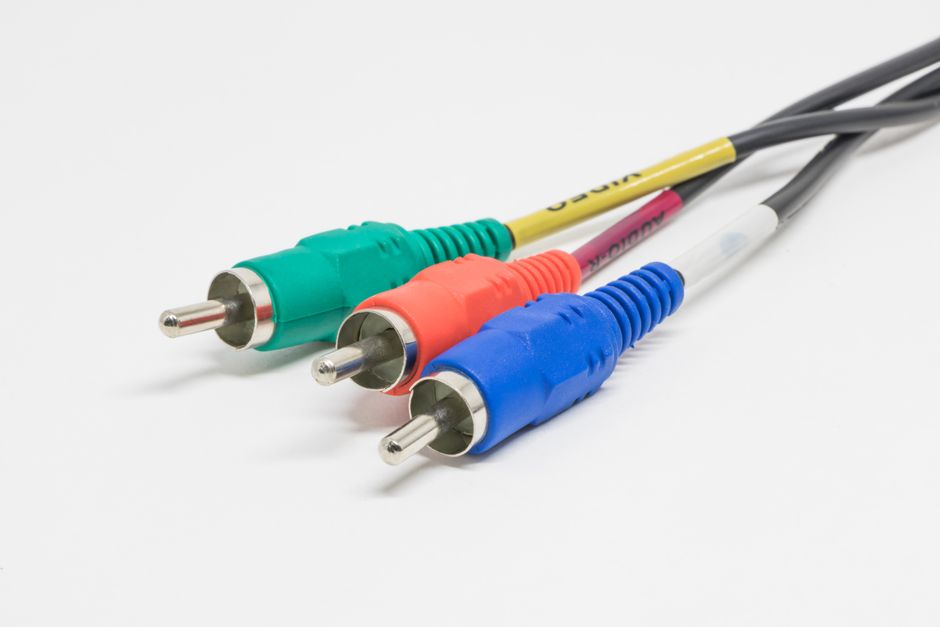
Assembling a coaxial cable connector is a precise mechanical task, not a creative one. You are matching the physical dimensions of the cable to the exact specifications of the connector. The process involves stripping the cable jacket, folding back the shielding, and exposing the center conductor to a precise length. If each layer is prepared to the correct measurement, the connector will seat properly, and the signal will pass cleanly. If any layer is cut too long or too short, you will introduce signal loss or create a short circuit.
What Tools Do You Need to Make a Coaxial Cable?
You do not need a lab full of equipment, but you do need the right tools. Using a kitchen knife or a standard pair of scissors is the most common reason for failed terminations. These tools crush the cable and cut the shielding unevenly.
You need a coaxial cable stripper. This tool has circular blades that score the outer jacket without damaging the braided shield beneath. A wire cutter is necessary for trimming the center conductor to the exact length. You also need a compression tool, which is specific to the type of connector you are using. A standard crescent wrench will not work for compression fittings.
Finally, you need a quality cable and the matching connector. The connector must match the cable type. An RG-6 connector will not fit RG-59 cable, and vice versa. Check the connector packaging to confirm it is rated for your specific cable diameter.
How To Make A Coaxial Cable Step By Step Assembly?
Start by straightening the cable. If it has been coiled tightly, the internal layers can shift. Straighten a few feet of cable to make the cuts cleaner.
Place the cable into the stripper. Most strippers have a fixed hole for the specific cable gauge. Close the tool and rotate it around the cable two or three times. You are cutting only the outer PVC jacket. Pull the jacket off to expose the braided shield and the foil layer beneath it. Do not cut through the braid at this stage.
Fold the braided shield back over the outer jacket. The connector body will slide over this folded braid. This is what creates the ground connection. If the braid is frayed or cut, the ground path is broken, and the signal will degrade.
Next, you must expose the center conductor. The foil dielectric (the white plastic layer) must be cut away carefully. Use the stripper’s blade or a razor knife to score this foam layer without nicking the copper center wire. A nick in the center conductor creates a weak point that can break under flexing.
Now trim the center conductor to the exact length specified by the connector manufacturer. This is usually printed on the connector bag. Most compression connectors require the center pin to protrude a specific distance past the connector face. If it is too long, it will short against the wall plate or device. If it is too short, it will not make contact at all.
Slide the connector body over the cable. The center conductor should pass through the center hole of the connector. Push the connector until the dielectric is flush with the internal shoulder of the connector. Then use the compression tool to crimp the connector onto the cable. Squeeze the tool handles fully. Do not release early.
Why Does the Strip Length Matter So Much?
Coaxial cable is designed with specific impedance, usually 75 ohms for home television and internet. This impedance is determined by the physical relationship between the center conductor, the dielectric insulation, and the outer shield. The spacing between these layers is mathematically fixed.
When you strip the cable, you are altering this geometry at the connection point. The connector is engineered to restore the correct spacing. If you leave too much dielectric exposed, the impedance changes. This causes signal reflections. Signal reflections are like echoes. The signal bounces back toward the source, and the remaining signal arriving at your modem or TV is weaker and distorted.
The most common mistake is leaving too much of the center conductor exposed. This creates an impedance mismatch and increases the chance of the center wire touching the shield. If the center conductor touches the shield, you have a direct short. This can damage equipment in rare cases, but more often it simply kills the signal completely.





How Do You Choose Between a Crimp and a Compression Connector?
There are two main types of connectors available to the home user: crimp-on and compression. The compression connector is the standard for professional installations today.
Crimp-on connectors require a separate hex crimp tool. You slide a metal sleeve over the cable, insert the connector, and crush the sleeve with the tool. These are cheaper, but they are also prone to failure. The crimp must be perfectly centered, and the tool must be sized exactly. A loose crimp allows the connector to pull off. An over-tight crimp crushes the dielectric and changes the impedance.
Compression connectors are more reliable. The connector body slides over the cable, and the compression tool pushes a collar forward to lock the connector in place. This creates a weather-resistant seal and a uniform grip around the entire circumference of the cable. They cost slightly more per connector, but the failure rate is significantly lower.
For outdoor use, compression is the only practical choice. The seal prevents moisture from entering the cable. Water in a coaxial cable is a common cause of signal loss. It corrodes the copper center conductor and degrades the dielectric properties of the foam insulation.
What Are the Signs of a Bad Connection?
If you have completed the assembly but your signal is poor, check the connection before blaming your internet provider.
Intermittent signal loss is a common symptom. The connection works when the cable is still, but fails when you move it or when the temperature changes. This usually indicates a loose connector or a center conductor that is trimmed too short.
Pixelation on television channels is another sign. This appears as blocky artifacts or freezing images. It means the signal is arriving, but it is too weak or too distorted for the tuner to decode properly. A poor connector termination is a frequent cause.
You can test your work with a multimeter. Set the meter to measure resistance (ohms). Touch one probe to the center pin of the connector and the other probe to the outer metal threads. You should see no reading, meaning infinite resistance. If you see a low resistance reading, you have a short circuit. The center conductor is touching the shield somewhere.
You can also test continuity. Touch one probe to the center pin at one end of the cable and the other probe to the center conductor at the opposite end. You should see a reading near zero ohms. This confirms the center conductor is intact throughout the cable run.
How Do You Weatherproof an Outdoor Connection?
Outdoor connections require additional protection. Water is the enemy of coaxial cable. Even a compression connector can allow moisture ingress if it is exposed to direct rain or pooling water.
Use weatherproof connectors rated for outdoor use. These have rubber gaskets inside the compression collar. Do not use standard indoor connectors outside.
Wrap the completed connection with self-amalgamating silicone tape. This tape fuses to itself and creates a watertight rubber barrier. Start wrapping an inch below the connector and finish an inch above it. Stretch the tape as you wrap to ensure it bonds to itself.
Do not use standard electrical tape. It degrades in sunlight and leaves a sticky residue that attracts dirt. The residue can also become conductive over time when mixed with moisture, which can cause signal leakage.
If the connection is on a wall, install a drip loop. This is a downward loop in the cable before it enters the connector. Water runs down the cable and drips off the bottom of the loop instead of flowing into the connector.
Can You Repair a Coaxial Cable or Should You Replace It?
If a cable has been crushed, kinked sharply, or chewed by an animal, replacement is the better option. A damaged cable has changed physical properties. The dielectric foam may be compressed, which alters the impedance permanently. You cannot fix this by adding a new connector.
You can repair a cable that has a damaged connector. Cut off the old connector and the damaged cable end. If you have enough slack, strip and terminate a fresh end. This restores the cable to proper working condition.
Do not attempt to splice two coaxial cables together by twisting the wires. Twisted splices create massive impedance mismatches and are not weatherproof. If you must join two cables, use a barrel connector (a female-to-female coupler) with two properly terminated ends.
If the damaged section is in the middle of a long run, consider running a new cable. Every connection point adds a small amount of signal loss. Multiple splices in a single line can reduce the signal below the threshold required by your modem or television.
Frequently Asked Questions
What is the difference between RG-6 and RG-59 cable?
RG-6 is thicker, has lower signal loss at high frequencies, and is the standard for modern television and internet connections. RG-59 is thinner and was used for older analog CCTV systems and short runs.
Why does my coaxial cable connection work sometimes but not other times?
This usually indicates a loose connector or a center conductor that is trimmed too short. Movement or temperature changes can cause the poor contact to fail intermittently.
Can I use a regular knife to strip coaxial cable?
You can, but it is not recommended because it often cuts the braided shield or nicks the center conductor. A proper coaxial stripper makes clean, consistent cuts at the correct depths.
Do I need a special tool to install a compression connector?
Yes, you need a compression tool that matches the connector type. The tool pushes the collar of the connector forward to lock it onto the cable, creating a secure, weatherproof fit.
