
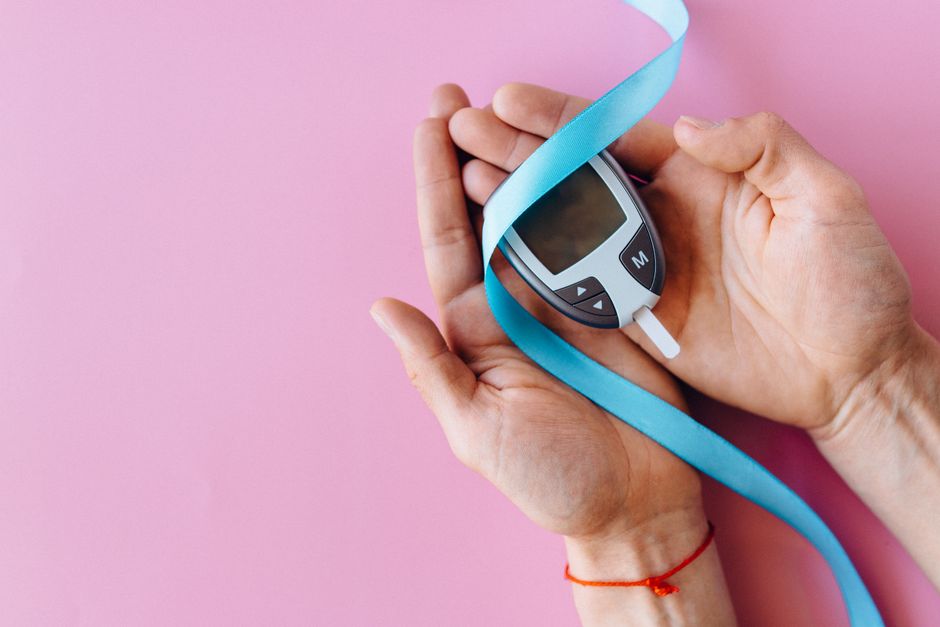
If your Dexcom G6 sensor is about to expire, you can change it before the 10-day session ends without losing data. The key is to start the new sensor session at the same time you remove the old one. This prevents a gap in your glucose readings and keeps your transmitter and app in sync.
The process takes about 10 minutes once you have your supplies ready. You will need your new sensor, the sensor applicator, and your transmitter. The transmitter is the small gray oval piece that snaps into the sensor. You reuse this piece for each new sensor, so do not throw it away.
When Should You Change the Sensor?
The Dexcom G6 sensor is approved for 10 days of wear. The app will show you a countdown as your session progresses. On day 10, you will see a message that your session is ending soon. You can change it at any point after day 10 begins, but you should not remove it before the full 10 days are complete unless there is a problem.
Removing the sensor early means you lose the remaining approved wear time. There is no clinical benefit to changing early. The adhesive is designed to last the full session, and the sensor wire is designed to remain stable under the skin for that period.
If the sensor is painful, irritated, or falling off, remove it early. That is a valid reason. But changing early just because you have free time is not necessary. The system is designed so you can change it when the session ends, and the app will guide you through the process.
What Happens If the Sensor Expires While Still on Your Skin?
When the 10-day session ends, the sensor stops transmitting data. The app will show an error or a prompt to start a new session. The sensor itself remains physically attached, but it is no longer functional. You will not get glucose readings until you remove it and start a new session.
Leaving an expired sensor on your skin does not cause harm. The adhesive may weaken over time, and the risk of skin irritation increases the longer you wear it. But there is no medical emergency from an expired sensor. You simply need to replace it to resume monitoring.
The transmitter battery also matters here. The transmitter is rated for about 90 days of use. If your transmitter is near the end of its life, the app will warn you. You can still start a new sensor session, but you may need to replace the transmitter soon after.
Step-by-Step: How To Change Dexcom G6 Sensor Before It Expires
Gather your supplies first. You need the new sensor package, an alcohol wipe, and your transmitter. Wash your hands with soap and water. Choose a spot on your abdomen or upper arm that is clean, dry, and has some fat tissue. Avoid areas with scars, tattoos, or irritation.
Follow these steps in order:
- Clean the insertion site with the alcohol wipe and let it dry completely.
- Remove the paper backing from the adhesive on the new sensor.
- Place the sensor applicator on your skin and press the button firmly.
- Count to three, then pull the applicator straight off.
- Remove the gray plastic guide from the center of the sensor.
- Snap the transmitter into place on the sensor. You will hear a click.
- Open the Dexcom G6 app on your phone or receiver.
- Select “Start Sensor” and enter the four-digit code from the sensor package.
- Wait for the 2-hour warmup period to finish.
You can remove the old sensor at any point before starting the new one. Some people remove it first, then insert the new one. Others insert the new one on the opposite side of the body, then remove the old one. Either order works as long as you do not go more than a few minutes without a sensor active.
Do not reuse a sensor. The G6 is a single-use device. The wire bends and the adhesive loses strength after removal. Reusing it can cause inaccurate readings, pain, or infection.





How To Remove the Old Sensor Safely
Removing the old sensor is simple but should be done gently. Lift the edge of the adhesive with your fingertip. Slowly peel it back, keeping the skin taut with your other hand. The sensor wire will slide out as the adhesive releases.
If the adhesive resists, use a medical adhesive remover wipe. These are available at most pharmacies. Do not pull hard or yank the sensor off. That can tear the skin, especially if you have sensitive skin or have worn the sensor for the full 10 days.
After removal, check the insertion site. Some redness is normal for the first hour. If you see pus, spreading redness, or feel heat at the site, that could be an infection. Contact your healthcare provider if that happens.
Why the 2-Hour Warmup Matters
Every new Dexcom G6 sensor requires a 2-hour warmup period. During this time, the app will not show glucose readings. The sensor’s wire is settling into the tissue, and the system is calibrating itself. This is not a malfunction.
You cannot skip or shorten this warmup. It is built into the system. Plan for it. If you need continuous glucose data, start the new sensor 2 hours before you actually need the readings. Some people insert the new sensor while the old one is still active, then remove the old one once the new session starts.
That approach works well if you want zero gap in data. Insert the new sensor, start the session, wait 2 hours for warmup, then remove the old sensor. The app will switch to the new sensor automatically once warmup completes.
Common Mistakes To Avoid When Changing the Sensor
One common mistake is forgetting to enter the four-digit code. The code calibrates the sensor’s accuracy. If you skip it, the app may still work, but your readings could be less accurate. Always enter the code from the sensor package.
Another mistake is inserting the sensor too close to the previous site. The new insertion site should be at least 2 inches away from the old one. This gives the skin time to heal and reduces the risk of irritation or scar tissue buildup.
Do not insert the sensor into muscle. The G6 is designed for subcutaneous tissue, the fat layer just under the skin. If you press into a muscle area, the sensor may be painful and readings may be erratic. The abdomen and upper arm are the approved sites.
Finally, do not ignore the app’s prompts. When you start a new session, the app will ask you to confirm the code and the insertion. Follow each prompt exactly. Skipping steps can cause the session to fail or the sensor to stop working early.
What To Do If the New Sensor Fails
Sometimes a new sensor fails despite following all the steps. The app will show an error message or a “Sensor Failed” alert. This is not your fault. It happens in a small percentage of insertions.
If your sensor fails within the first few hours, contact Dexcom customer support. They may replace the sensor at no cost. Keep the sensor package with the code, as they will ask for it. Do not discard a failed sensor until you have spoken with support.
If the sensor fails after warmup, remove it and try a new one. The app will let you start another session. You can also use a fingerstick blood glucose meter during this time if you need readings while waiting for the new sensor to warm up.
Can You Extend the Sensor Past 10 Days?
Some people try to restart the sensor after day 10 by removing the transmitter and reinserting it. This is called a sensor restart. It is not approved by Dexcom, and the company states it should not be done.
The sensor’s accuracy is only validated for 10 days. After that, the wire may degrade, and readings can become unreliable. There is no clinical evidence that extended wear is safe or accurate. The FDA clearance for the G6 is specifically for 10-day wear.
If you are considering a restart because of cost or supply issues, talk to your healthcare provider. They may have resources or programs to help you get sensors on schedule. Using a sensor past its approved wear time puts you at risk for inaccurate glucose data, which can lead to incorrect insulin dosing.
Frequently Asked Questions
Can I change my Dexcom G6 sensor a day early?
Yes, you can change it a day early if needed, but you will lose the remaining approved wear time. There is no medical benefit to changing early unless the sensor is painful, irritated, or falling off.
What happens if I remove the sensor before the 10 days are up?
You will stop receiving glucose readings as soon as you remove it. The app will prompt you to start a new session, and you will need to go through the full 2-hour warmup again before readings resume.
Do I need to enter the code every time I change the sensor?
Yes, every new sensor has a unique four-digit code that must be entered in the app. This code calibrates the sensor for accurate readings, and skipping it can lead to less reliable glucose data.
Can I reuse the transmitter with a new sensor?
Yes, the transmitter is reusable and snaps into each new sensor. It lasts about 90 days before the battery runs out, and the app will warn you when it is time to replace it.
