
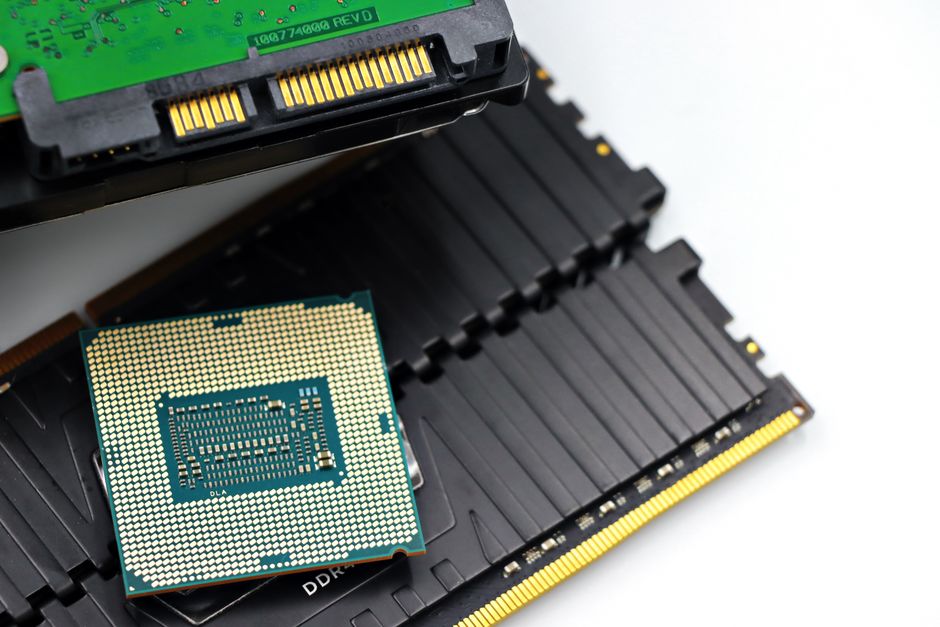
Your computer uses secondary memory to keep files, programs, and the operating system safe when the power goes off. Primary memory, called RAM, is fast but temporary — it loses everything the moment your device shuts down. Secondary memory is the permanent storage layer that holds your data until you choose to delete it.
What Is Secondary Memory and How Is It Different From RAM?
Secondary memory is any storage device that holds data without needing constant power. Hard drives, solid-state drives, USB flash drives, SD cards, and optical discs all fall into this category. The defining trait is that the data stays put after the device is turned off. Engineers call this “non-volatile” storage.
RAM works the opposite way. It is volatile. When you open a program, the processor pulls data from secondary storage into RAM because RAM is much faster to read and write. When you close the program or shut down, RAM clears. Anything not saved to secondary storage is gone.
The distinction matters because it explains why computers need both types. RAM gives speed. Secondary memory gives permanence. A computer with only RAM would forget everything the instant you unplugged it.
Why can’t RAM do the job alone?
RAM is built from circuits that hold electrical charges in tiny capacitors or transistors. Those charges fade without power. It is also far more expensive per gigabyte than secondary storage. Building a computer with enough RAM to store every file permanently would cost thousands of dollars and still lose everything on a power failure.
Secondary storage uses magnetic, optical, or flash technology that retains its state without electricity. That is the core reason it exists.
Why Would You Use A Computers Secondary Memory?
You use secondary memory because it is the only place your data survives a shutdown. Without it, every document, photo, and application would vanish each time the computer restarted. It also provides far more storage capacity at a much lower cost than RAM.
There are several practical reasons secondary storage is essential:
- Permanent file storage — documents, photos, videos, and music stay on the drive until you delete them.
- Operating system hosting — Windows, macOS, and Linux all live on secondary storage and load into RAM at startup.
- Capacity — a typical laptop hard drive holds 500 GB to 2 TB, while typical RAM is 8 GB to 32 GB.
- Cost per gigabyte — secondary storage costs a small fraction of what RAM costs for the same capacity.
- Portability — external drives and USB sticks let you carry files between machines.
- Backup — copies of important data can be stored on separate drives to protect against hardware failure.
The capacity gap is the clearest illustration. A computer with 16 GB of RAM cannot hold a 50 GB video project in memory alone. It needs secondary storage to hold the file and loads only the parts being actively edited into RAM.
What Types of Secondary Storage Exist?
Secondary storage falls into three main technology families: magnetic, solid-state, and optical. Each has different trade-offs in speed, durability, and cost.
| Type | Technology | Typical Use | Notes |
|---|---|---|---|
| Hard Disk Drive (HDD) | Magnetic spinning platters | Desktop storage, backups | High capacity, lower cost, moving parts |
| Solid-State Drive (SSD) | Flash memory chips | Laptops, desktops, servers | Faster, no moving parts, higher cost per GB |
| USB Flash Drive | Flash memory | Portable file transfer | Small, convenient, limited write cycles |
| SD Card | Flash memory | Cameras, phones, tablets | Compact, removable |
| Optical Disc (CD/DVD/Blu-ray) | Laser-read pits | Media, archival | Declining use, limited rewrite capability |
| Cloud Storage | Remote servers | Backup, file sharing | Requires internet, data stored off-site |
HDDs remain common in situations where large capacity matters more than speed. SSDs have become standard in new laptops because they are faster and more resistant to physical shock. Flash drives and SD cards serve portable needs. Cloud storage is technically secondary memory from the user’s perspective, though the physical drives live in a data center.





How Does Secondary Memory Affect Computer Performance?
Secondary storage speed directly affects how fast a computer boots, loads programs, and opens files. An SSD can read data several times faster than a traditional hard drive. That difference shows up in everyday tasks — starting up, launching applications, and transferring large files.
The processor cannot work directly from secondary storage. Data must first be copied into RAM. This means storage speed and RAM speed both matter, but they affect different parts of the experience. RAM speed influences how smoothly running programs perform. Storage speed influences how long it takes to get those programs running in the first place.
This is why upgrading from an HDD to an SSD often feels more dramatic than adding RAM. The boot process involves reading many small files from storage. A faster drive shortens that wait noticeably.
Is Secondary Memory the Same as Backup?
No. Secondary memory is where your working files live. Backup is a separate copy stored elsewhere. They serve different purposes, and confusing them can lead to data loss.
If your only copy of a file is on your laptop’s internal drive, that drive failing means the file is gone. A backup means a second copy exists on a different device — an external drive, a network-attached storage unit, or a cloud service. The backup can also be secondary memory, but the key point is that it is a separate copy.
A common guideline in data management is the “3-2-1” approach: three copies of important data, on two different types of media, with one copy stored off-site. This is a widely taught practice, not a formal clinical or regulatory standard, but it reflects a reasonable principle — redundancy protects against single points of failure.
How Long Does Secondary Memory Last?
Storage lifespan varies widely by technology and usage. Hard drives with moving parts can fail mechanically over time. SSDs wear out after a limited number of write cycles, though modern drives often outlast the computers they are installed in.
Manufacturers typically publish endurance ratings for SSDs measured in terabytes written (TBW). These ratings estimate how much data can be written before the drive may begin to degrade. For typical home or office use, reaching that limit takes many years. Heavy workloads like video editing or database servers can wear drives faster.
Flash drives and SD cards tend to have lower endurance than internal SSDs. They are best suited for transferring files rather than serving as primary storage for important data.
No storage device lasts forever. Regular backups remain the most reliable way to protect against any type of drive failure.
Does Cloud Storage Replace Secondary Memory?
Cloud storage does not replace secondary memory — it is a form of it. When you save a file to Google Drive, Dropbox, or iCloud, the data is written to physical drives in a data center. Those drives are secondary storage. The difference is location and access method, not the fundamental technology.
Cloud storage offers advantages: access from multiple devices, automatic backup, and no physical hardware to maintain. It also has limitations. You need an internet connection to reach your files. You are trusting a company to protect your data. And ongoing subscription costs can add up over time.
Many people use a combination — local secondary storage for speed and control, cloud storage for backup and convenience. Neither approach eliminates the need for the other in every situation.
Frequently Asked Questions
What is the main purpose of secondary memory?
Secondary memory stores data permanently so it survives when the computer is turned off. It holds the operating system, applications, and all user files.
Is a USB drive secondary memory?
Yes. A USB flash drive is a type of secondary storage because it retains data without power. It is typically used for portable file transfer rather than as a computer’s main drive.
Can a computer run without secondary memory?
No. A computer needs secondary storage to hold the operating system and boot instructions. Without it, there would be nothing to load into RAM at startup.
Why is secondary memory slower than RAM?
Secondary memory uses technologies like magnetic platters or flash cells that take longer to read and write than RAM’s direct electrical circuits. The trade-off is that secondary memory is non-volatile and far cheaper per gigabyte.
