
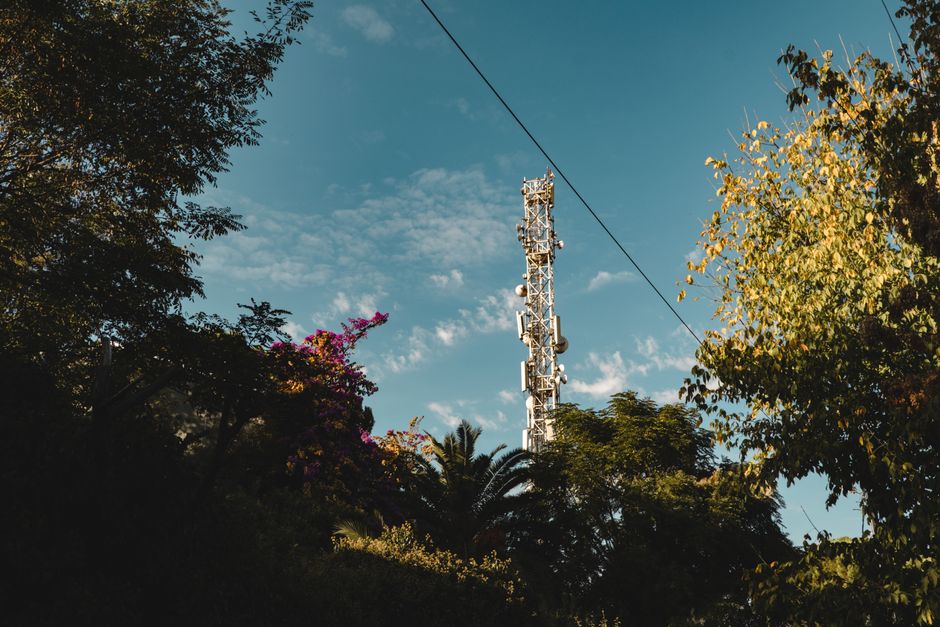
Your phone shows four bars, then one, then none — all while you stand in the same spot. Cell signal fluctuates because the connection between your phone and the nearest cell tower is a two-way radio link, and that link is affected by distance, physical obstacles, weather, network congestion, and how you hold the phone. You can reduce the problem by moving away from obstructions, switching network modes, and using Wi-Fi calling, but no fix will override a weak signal at your location.
That is the short version. The longer version explains why the bars move when nothing about your position has changed — and which of the common fixes actually work.
Why Does Cell Signal Fluctuate And How To Fix It?
Cell signal fluctuates because radio waves between your phone and the tower are weakened, reflected, or blocked by things you cannot see or control.
Your phone constantly measures signal strength and quality and adjusts its connection accordingly. When conditions change even slightly, the phone renegotiates with the network. Sometimes that means dropping to a slower band. Sometimes it means briefly losing the connection entirely.
Three things drive most of this:
- Distance and obstacles. Signal weakens with distance from the tower. Buildings, hills, trees, and even dense walls absorb or reflect radio waves. A window can be the difference between two bars and four.
- Network load. Cell towers share capacity among everyone connected. When many people use the same tower, your phone may be pushed to a weaker or more distant connection even though nothing about your location changed.
- Band switching. Modern phones use multiple frequency bands. Higher-frequency bands carry more data but travel shorter distances and penetrate buildings poorly. Lower-frequency bands travel farther but are slower. Your phone switches between them automatically, and each switch can change your signal reading.
The bars on your screen are a rough indicator, not a precise measurement. Different phones display the same signal strength differently. Two phones side by side can show different bar counts on the same network. That is a display convention, not a difference in actual reception.
Why Does My Cell Signal Drop When I Have Not Moved?
Signal drops without movement because the radio environment around you is not static, even when you are.
Radio waves bounce off surfaces. Moving cars, people, and even wet leaves change how those waves reach your phone. A truck passing between you and the tower can briefly interfere. Rain and heavy cloud cover absorb some frequencies more than others. In buildings, the position of furniture, doors, and even large appliances can shift how signal reaches a particular room.
There is also a less obvious factor: your phone is not just receiving. It is transmitting back to the tower. If the tower cannot hear your phone clearly, the connection degrades even when your phone shows strong reception. Signal is a two-way street, and the bars usually reflect only the downlink.
Network-side changes matter too. Towers adjust power and coverage as load shifts. A tower serving a busy area may reduce power on some sectors to manage interference. Your phone then finds a different tower or band. The result looks like fluctuation on your end.
Does Holding Your Phone Differently Affect Signal?
Yes. How you hold your phone can measurably change signal strength.
Antennas sit in specific locations inside the phone — often along the edges or near the top and bottom. Your hand, especially when wrapped around those areas, absorbs radio energy. This is a well-documented effect, not a myth. Holding the phone in a way that covers the antenna region can reduce signal by a noticeable margin.
Cases matter less than most people think, but thick metal cases or cases with metal plates for magnetic mounts can interfere with reception. If you use a magnetic car mount, the metal plate sits directly against the phone and can affect antenna performance.
The practical fix is simple: try holding the phone differently and see whether the bars change. It costs nothing and takes seconds.





What Actually Helps When Cell Signal Is Weak?
Some fixes work reliably. Others are mostly marketing.
Wi-Fi calling is the most effective fix for weak signal at home or work. It routes calls and texts over your internet connection instead of the cellular network. Most major US carriers support it, and it works on phones made in the last several years. If your signal is poor indoors but your internet is solid, this solves the problem for calls and texts. It does not help with mobile data when you are away from Wi-Fi.
Moving toward a window or higher floor genuinely helps. Radio waves penetrate glass far better than concrete or brick. Upper floors often have a clearer line to the tower.
Switching network mode can help in specific cases. If your phone is set to prefer a faster network that is weak at your location, forcing it to a slower but stronger network may give you a more stable connection. This varies by carrier and phone, and the setting names differ. Check your phone’s mobile network settings.
Toggling airplane mode forces your phone to reconnect to the network. It can help when your phone is stuck on a weak tower. It is a temporary fix, not a solution.
Signal boosters can help, but with important caveats. In the US, consumer signal boosters must be certified and registered with your carrier under FCC rules. Uncertified boosters can interfere with networks and are illegal to operate. A properly installed booster can improve indoor coverage, but installation matters and results vary by location.
Wi-Fi extenders and mesh systems do not boost cell signal. They extend Wi-Fi coverage. They help only if you are using Wi-Fi calling.
What Does Not Fix Cell Signal Fluctuation?
Several popular fixes do not work, and some are sold on claims that no study supports.
Signal booster apps are the clearest example. No app can increase the physical radio signal reaching your phone. Some apps display signal strength readings or help you find a better spot, which has some practical value. Apps that claim to boost signal are not doing what they say.
Stickers and antenna patches sold online have no demonstrated effect on reception. The physics does not support them.
Removing your case rarely makes a meaningful difference unless the case contains metal.
Standing in a specific spot based on an app’s “signal map” can help you find a better location, but it does not improve the signal itself.
One clarification worth making: the number of bars is set by the phone manufacturer, not the network. A phone showing two bars may have a perfectly usable connection. Signal quality — how well data actually moves — matters more than bar count. If your calls are clear and data loads, the bars are not telling you much.
When Is Fluctuating Signal a Sign of a Bigger Problem?
Occasional fluctuation is normal. Consistent, severe drops in the same location may point to something fixable.
If signal is poor only inside one building, the building is likely the cause. If it is poor across a wide area, the network coverage at your location may simply be weak. Carriers publish coverage maps, though these are estimates and can overstate indoor coverage.
If signal dropped suddenly and stayed down, check whether others on the same carrier nearby have the same problem. A tower outage or maintenance is a common cause. Your carrier’s status page or customer service can confirm.
If your phone shows strong signal but calls drop or data stalls, the issue may be network congestion rather than signal strength. That is a capacity problem, not a coverage problem, and no amount of repositioning will fix it.
Can You Improve Cell Signal at Home?
You can improve cell signal at home in some cases, but the options depend on how weak the signal is to begin with.
The most reliable approach is Wi-Fi calling for voice and text. For mobile data, a properly certified signal booster installed according to the manufacturer’s instructions is the main option. Some carriers offer femtocells — small devices that create a mini cell signal inside your home using your internet connection. Availability varies by carrier.
Before buying anything, test where signal is strongest in your home. Walk from room to room and watch the bars or, better, check your phone’s actual signal measurement in settings if your phone shows it. That tells you whether a window, a higher floor, or a different room solves the problem for free.
If signal is weak everywhere in your home and Wi-Fi calling covers your needs, that may be the honest answer: the network coverage at your address is limited, and the practical fix is to route calls over the internet rather than chase a stronger radio signal.
Frequently Asked Questions
Why does my cell signal go from full bars to none?
Your phone is likely switching between towers or frequency bands, or the signal is being blocked by a physical obstacle. Brief drops during switching are normal and usually resolve on their own.
Do cell signal booster apps actually work?
No app can increase the physical radio signal reaching your phone. Some apps show signal readings or help you find a better location, but apps claiming to boost signal are not doing what they claim.
Does airplane mode fix weak cell signal?
Toggling airplane mode forces your phone to reconnect to the network, which can help if it is stuck on a weak tower. It is a temporary fix and does not improve coverage at your location.
Why is my cell signal worse inside my house?
Building materials like concrete, brick, and metal absorb or reflect radio waves far more than glass. Moving near a window or to a higher floor often improves reception, and Wi-Fi calling can handle calls and texts when indoor signal is poor.
