
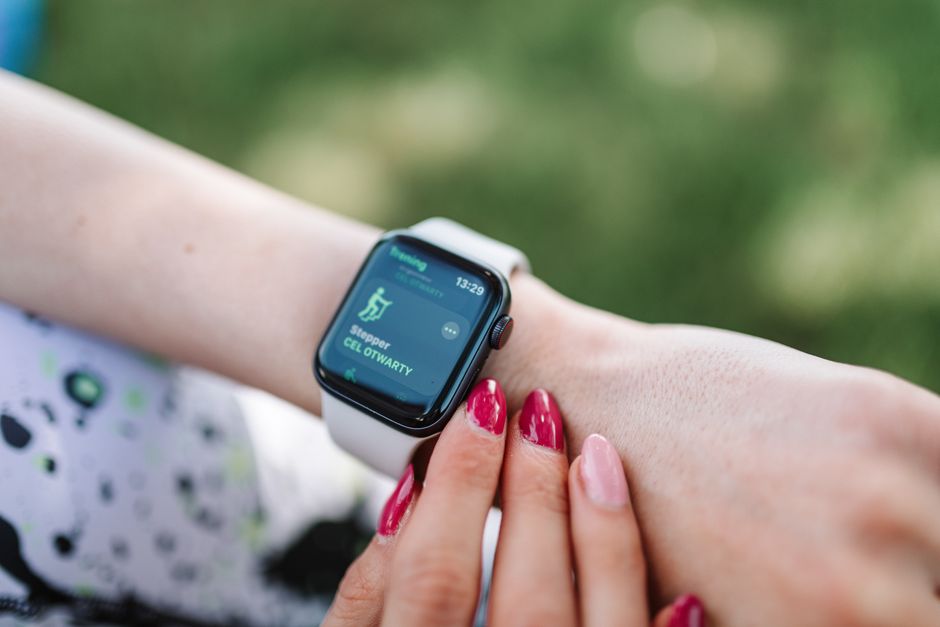
The Move goal on your Apple Watch tracks active calories burned during intentional movement, not just total daily energy expenditure. It measures the energy you use when you move around, stand, walk, or exercise, and it is the primary ring you see on your watch face. You can adjust this goal anytime from the Activity app on your watch or through the Fitness app on your paired iPhone, and changing it takes only a few seconds.
What Is The Move Goal On Apple Watch And How To Set It?
The Move goal is the red ring on your Apple Watch. It tracks the active calories you burn above your resting metabolic rate. Your body burns calories all day just to keep you alive — breathing, circulating blood, and maintaining organ function. The Move ring only counts the calories burned through physical activity on top of that baseline.
You set a target number of active calories for each day. When you reach that number, your red ring closes. The watch uses your personal data — height, weight, age, and sex — to estimate how many calories you burn during movement. These are estimates, not laboratory-grade measurements, but they are consistent enough to track trends over time.
To change your Move goal, press and hold the Activity rings on your watch face. Wait for the goal screens to appear. Tap the red ring section labeled Move, then use the plus and minus buttons or the digital crown to adjust the number. Press the checkmark to save. On your iPhone, open the Fitness app, tap your Activity rings summary, scroll to Move Goal, and select Change Move Goal.
How Does Apple Watch Calculate Active Calories?
Apple Watch uses a combination of sensors to estimate your energy expenditure. An accelerometer tracks your arm movements and steps. A gyroscope detects orientation and motion patterns. A heart rate sensor measures your pulse continuously throughout the day.
The watch combines these inputs with your personal profile. Your weight, height, age, and biological sex all factor into the calculation. A larger person burns more calories performing the same movement as a smaller person because moving more mass requires more energy. A younger person typically has a higher metabolic rate than an older person doing identical work.
Your resting calories are not counted toward the Move goal. Only the extra calories burned during activity count. This distinction matters because two people with identical activity levels can have different Move ring progress if their resting metabolic rates differ. The watch separates these automatically, but understanding the difference helps you interpret your numbers honestly.
Heart rate data improves accuracy during workouts. When you start an exercise session, the watch samples your heart rate more frequently. This allows the algorithm to better estimate effort during activities like cycling or rowing where arm movement alone would underestimate your work.
What Is A Realistic Move Goal For Beginners?
Apple suggests a starting Move goal of 300 calories per day when you first set up your watch. This is a reasonable baseline for many people, but it is not a universal recommendation. Your appropriate goal depends on your current activity level, your body size, and your fitness objectives.
If you are mostly sedentary and new to regular movement, starting around 200 to 300 calories per day is sensible. This might represent a 30 to 45 minute brisk walk for an average-sized adult. The goal should feel achievable on most days without requiring heroic effort. A goal you meet most days builds momentum. A goal you miss constantly builds frustration.
People who already exercise regularly often set goals between 400 and 600 calories per day. Dedicated athletes may target 700 or more. These higher numbers typically reflect intentional daily workouts plus general activity throughout the day.
The watch learns your typical activity patterns over time. After a few weeks, it may suggest a goal adjustment based on your history. You are never required to accept these suggestions. The right goal is the one that keeps you moving consistently without causing burnout or injury.





Should You Increase Your Move Goal Over Time?
Gradual increases make sense if your current goal has become too easy. A useful benchmark is consistency. If you close your Move ring nearly every day for two to three weeks without much struggle, your goal may no longer be challenging you.
Increase your goal by 50 to 100 calories at a time. Hold that new target for at least two weeks before deciding whether to increase again. This gradual approach allows your body to adapt and prevents the discouragement that comes from jumping to an unrealistic target overnight.
Some people prefer to keep their Move goal constant and vary their workouts instead. Both approaches work. The ring is a tool for consistency, not a scoreboard for self-worth. What matters is that you remain physically active in a way that supports your health.
Research consistently shows that regular physical activity reduces the risk of heart disease, type 2 diabetes, and premature death. The Move goal helps you track whether you are meeting general activity recommendations. Health organizations typically recommend at least 150 minutes of moderate-intensity aerobic activity per week. Your Move goal is one way to monitor progress toward that target, though it is not a direct measure of exercise minutes.
Move Goal Versus Exercise Goal: What Is The Difference?
The Apple Watch has three activity rings. The red Move ring tracks active calories. The green Exercise ring tracks minutes of activity at or above a brisk pace. The blue Stand ring tracks hours where you stood and moved for at least one minute.
These three metrics measure different things. You can close your Exercise ring with a 30-minute run but barely move your Move ring if you are small and efficient. Conversely, you can accumulate Move calories through a full day of light activity without ever triggering a single Exercise minute.
The Exercise ring counts minutes where your activity level meets or exceeds a brisk walk. Your heart rate and motion data determine this automatically. For most people, this corresponds to roughly 3 METs or more — about three times your resting energy expenditure. Walking at a normal pace around your house typically does not count. Walking with purpose, climbing stairs, or doing household work at a steady pace often does.
Both rings provide useful information. The Move goal captures total daily energy expenditure through movement. The Exercise goal captures sustained moderate-to-vigorous activity. For general health, both matter. For weight management, the Move goal is often the more relevant number because it reflects total activity volume.
Why Is My Move Goal Not Changing Or Updating?
The Move goal only updates when you change it manually. It does not reset automatically each day. Your daily goal stays the same until you adjust it. Your progress toward that goal resets at midnight, but the target number itself remains constant.
If you expected your goal to change after a workout or after meeting it consistently, that is not how the watch works. The watch may occasionally suggest a new goal in a notification, but it never changes your target without your approval. This design gives you full control over your daily target.
If your Move ring progress seems incorrect, check your personal information. Open the Watch app on your iPhone, tap My Watch, then Health, then Profile. Verify your height, weight, age, and sex are current. Significant weight changes can affect calorie estimates. Outdated information produces less accurate numbers.
Calorie estimates from wearable devices are not perfectly accurate. Studies comparing wrist-worn fitness trackers to laboratory measurements of energy expenditure have found variable results depending on the activity and the device. The Apple Watch performs reasonably well compared to many competitors, but you should treat the numbers as useful estimates rather than precise measurements.
Can You Set Different Move Goals For Different Days?
No, the Apple Watch does not allow different Move goals for different days of the week. You have one daily target that applies every day. Some users find this limiting because their schedules vary — busy workdays versus relaxed weekends, for example.
You can work around this limitation by manually adjusting your goal on days when you want a different target. This requires remembering to change it and then change it back. Some users find this tedious. Others find the single consistent goal helpful because it removes decision-making and creates a daily standard.
Third-party apps can create more complex goal structures, but they cannot change the native Move ring on your watch face. The core Move goal remains a single daily number. If you want varied targets, you must adjust manually or accept the consistent daily goal.
Does Meeting Your Move Goal Actually Improve Health?
Meeting a Move goal is not magic. The health benefit comes from the physical activity itself, not from closing a digital ring. That said, the ring serves a genuine purpose for many people by providing structure, accountability, and feedback.
Behavior change research consistently shows that self-monitoring improves adherence to health goals. Tracking your activity daily makes you aware of patterns you might otherwise miss. Seeing a low number at the end of a sedentary day can prompt a short walk before bed. Seeing a week of missed goals can prompt a realistic reassessment of your target.
The Move goal works best as one part of a broader approach to physical activity. Combine it with intentional exercise sessions, daily movement outside of workouts, and attention to how you feel. The ring is a tool. Your health is the outcome. Keep the tool in service of the outcome rather than the reverse.
Frequently Asked Questions
How do I change my Move goal on Apple Watch?
Press and hold the Activity rings on your watch face, tap the red Move section, then adjust the number with the plus and minus buttons or the digital crown and confirm.
You can also change it in the Fitness app on your iPhone under your Activity rings summary.
What is a good Move goal for a beginner?
Starting around 200 to 300 active calories per day is reasonable for someone new to regular movement.
This typically represents a 30 to 45 minute brisk walk for an average-sized adult and should feel achievable on most days.
Does the Move goal reset every day?
Your progress toward the Move goal resets at midnight each day, but the goal number itself stays the same until you change it.
The watch never changes your target automatically without your approval.
Why does my Move ring show calories I did not earn?
Your watch may count some light movement as active calories, and the estimates are based on your personal profile and sensor data.
Check that your height, weight, age, and sex are current in the Health app for the most accurate estimates.
