
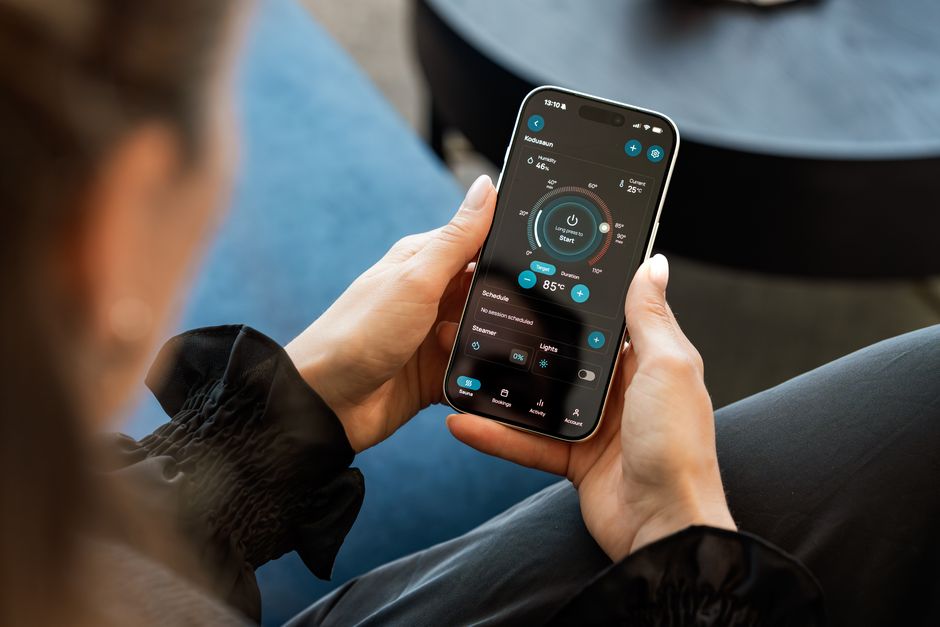
You can use an iPhone as a basic hearing aid through two Apple features: Live Listen, which streams your iPhone’s microphone to compatible AirPods or Beats earphones, and the Hearing Aid feature, which works only with AirPods Pro 2 and requires a recent iPhone and iOS version. Live Listen has been available for years and works with many AirPods models. The Hearing Aid feature is newer, region-limited, and intended for people with perceived mild to moderate hearing loss. Neither feature replaces a prescription hearing aid for everyone, and Apple itself describes them as accessibility tools, not medical devices in the traditional sense.
What Is Live Listen and How Does It Work?
Live Listen turns your iPhone into a remote microphone. Your phone picks up sound from the room and streams it directly to your AirPods or Beats earphones in real time.
The feature was originally designed for people with hearing difficulties who wanted to hear conversations more clearly in noisy places. You place the iPhone near the person speaking, and their voice is transmitted to your ears. Think of it as a personal listening system rather than a traditional hearing aid.
The key detail most people miss: Live Listen does not amplify sound the way a hearing aid does. It reroutes sound from the phone’s microphone to your earphones. If the phone is far from the speaker, you will hear mostly background noise. If the phone is close, the speaker’s voice comes through clearly.
Live Listen works with AirPods (2nd generation and later), AirPods Pro, AirPods Max, and several Beats models. It also works with some Made for iPhone hearing aids, though that is a separate use case.
How Do You Set Up Live Listen on Your iPhone?
Setup takes about a minute. First, make sure your AirPods are connected to your iPhone via Bluetooth. Then you need to add Live Listen to your Control Center.
- Open Settings on your iPhone.
- Tap Control Center.
- Find Hearing in the list of available controls and tap the green plus button to add it.
- Put your AirPods in your ears and connect them.
- Open Control Center, tap the Hearing icon (the ear symbol), then tap Live Listen.
Once activated, a small indicator appears. You can adjust the volume using the iPhone’s volume buttons. Some users also adjust audio balance under Accessibility settings to route more sound to one ear.
If you do not see the Hearing icon in Control Center, check that your AirPods are connected first. The option only appears when a compatible audio device is paired.
What Is the AirPods Pro 2 Hearing Aid Feature?
Apple introduced a clinical-grade Hearing Aid feature for AirPods Pro 2 with a software update. This is different from Live Listen. It is designed to function more like an actual hearing aid for people with perceived mild to moderate hearing loss.
The feature works in three parts. A Hearing Test assesses your hearing across frequencies. If the test indicates mild to moderate hearing loss, the Hearing Aid mode applies personalized amplification based on your results. A Hearing Protection mode reduces loud environmental sounds.
Apple states the feature is intended for adults 18 and older with perceived mild to moderate hearing loss. It is not for children, and it is not for people with severe or profound hearing loss. It also is not intended for people with certain ear conditions.
The feature has received regulatory clearance in the United States from the FDA for over-the-counter hearing aid use. Availability in other countries varies, and some regions have not yet approved it.



How Do You Set Up the AirPods Pro 2 Hearing Aid Feature?
You need AirPods Pro 2 with the latest firmware and an iPhone running a recent version of iOS. The exact iOS version required has changed as Apple has updated the feature, so check Apple’s support page for the current requirement.
To begin, put your AirPods Pro 2 in your ears and connect them to your iPhone. Go to Settings, then Your AirPods, and look for the Hearing Health section. From there you can take the Hearing Test.
The test takes a few minutes. You respond to tones at different frequencies and volumes, similar to a standard hearing screening. When finished, you receive a hearing profile. If your results fall in the mild to moderate range, you can enable the Hearing Aid feature.
Once enabled, the AirPods apply amplification tailored to your hearing profile. You can adjust the level in Settings or through Control Center.
How Well Do These Features Actually Work?
Live Listen is a helpful accessibility tool, but it is not a substitute for a hearing aid. It works best in one-on-one conversations or small groups where you can place the iPhone close to the speaker. In a noisy restaurant or a large room, it struggles.
The AirPods Pro 2 Hearing Aid feature has more clinical backing. Apple’s regulatory submission included data showing the feature performed comparably to professional fitting for mild to moderate hearing loss in study conditions. That is meaningful, but it is not the same as long-term real-world performance across all listening environments.
Prescription hearing aids still offer advantages in some situations. They are fitted by an audiologist, tuned to your specific hearing loss profile, and designed for all-day wear with longer battery life. They also handle severe hearing loss, which the AirPods feature does not address.
For someone with mild hearing difficulty who already owns AirPods Pro 2, the feature is worth trying. For someone with significant hearing loss, it is not a replacement for professional care.
What Are the Limitations and Safety Considerations?
Neither feature is a medical diagnosis. If you suspect hearing loss, see an audiologist or hearing care professional. Hearing loss can have causes that need medical evaluation, including ear infections, wax buildup, and certain medications.
Using amplification that is not properly fitted can be uncomfortable or even harmful over time. Apple’s Hearing Aid feature addresses this by basing amplification on a hearing test, but it is still not a clinical fitting.
Battery life is a real limitation. AirPods Pro 2 provide a few hours of listening per charge, which is far less than most hearing aids. Live Listen drains the iPhone battery faster as well.
Latency is another factor. There can be a slight delay between when sound is picked up and when you hear it. For conversation this is usually not a problem. For music or fast-moving sound, it can be noticeable.
Finally, the Hearing Aid feature is not available everywhere. Regulatory approval differs by country, so check Apple’s regional support pages for current availability.
How Does This Compare to a Traditional Hearing Aid?
| Feature | AirPods Pro 2 Hearing Aid | Traditional Hearing Aid |
|---|---|---|
| Fitting | Self-administered hearing test | Professional fitting by audiologist |
| Hearing loss range | Perceived mild to moderate | Mild to profound |
| Battery life | A few hours per charge | Often a full day or longer |
| Cost | Lower upfront cost | Varies widely, often higher |
| Availability | Limited by region and device | Widely available |
The comparison is not about which is better in every case. It is about matching the tool to the situation. For mild hearing difficulty and casual use, AirPods Pro 2 may be enough. For daily reliance and more significant hearing loss, a professionally fitted hearing aid remains the standard of care.
Frequently Asked Questions
Can I use regular AirPods as a hearing aid?
Regular AirPods can be used with Live Listen, which streams your iPhone’s microphone to your ears, but they do not provide the personalized amplification of the AirPods Pro 2 Hearing Aid feature. Live Listen is an accessibility tool, not a hearing aid replacement.
Does Live Listen work without AirPods?
Live Listen requires compatible wireless earphones or Made for iPhone hearing aids. It does not work with the iPhone speaker alone or with standard wired earbuds.
Is the AirPods Pro 2 Hearing Aid feature available in all countries?
No. Regulatory approval varies by country, and the feature is not available everywhere. Check Apple’s regional support pages for current availability in your area.
Should I see a doctor before using my iPhone as a hearing aid?
Yes, if you notice hearing loss, see a hearing care professional for evaluation. Hearing loss can have treatable medical causes, and self-assessment tools are not a substitute for a clinical diagnosis.
