
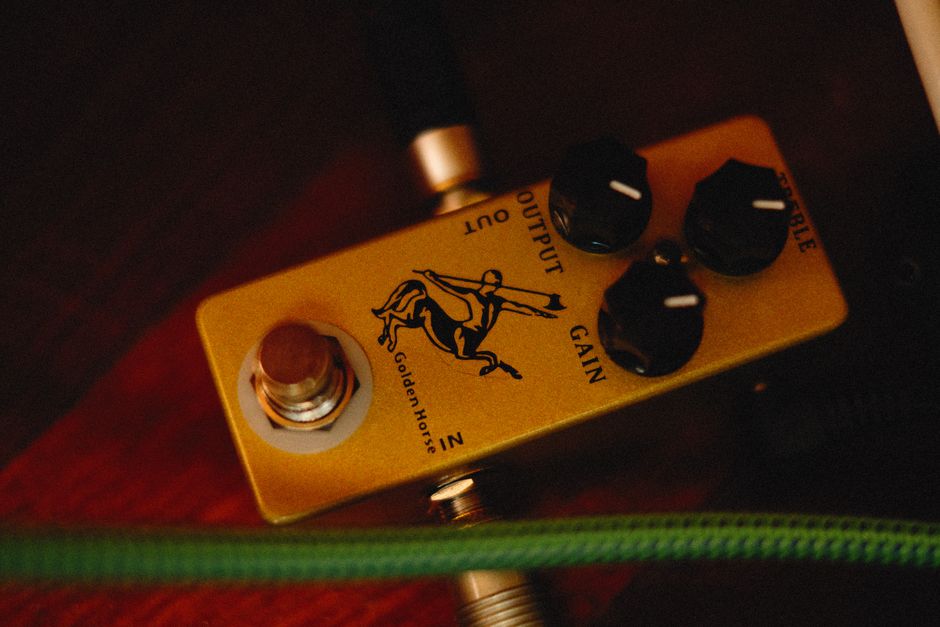
Setting amplifier gain without clipping comes down to one rule: match the signal level going into the amp to the level the amp was designed to handle. Clipping happens when you ask the amplifier to produce more voltage than its power supply can deliver, and the waveform gets flattened at the top and bottom. That flattening is what you hear as harsh distortion, and in a tweeter it can cause damage.
What Is Amplifier Gain And What Does The Gain Knob Actually Do?
Gain is a multiplier. It takes the voltage coming in from your source and scales it up before the signal reaches the amplifier’s output stage.
The gain knob on most car amplifiers is not a volume control. It does not make the amplifier more powerful. It sets how much the incoming signal gets boosted before the amplifier tries to drive the speakers. Turning it up does not add watts. It only changes how hard the amplifier is working with whatever signal it receives.
This is where most people get it wrong. They treat the gain knob like a second volume dial and crank it when the system does not sound loud enough. That does not create more power. It just pushes the amplifier into clipping sooner.
On home audio gear, gain is usually fixed or set internally. On car amplifiers, pro audio gear, and instrument amps, the gain control is exposed so you can match it to different source voltages. A head unit might put out 2 volts. An outboard processor might put out 5 volts. The gain knob exists to reconcile that difference.
What Actually Causes Clipping?
Clipping happens when the amplifier runs out of voltage headroom. The input signal asks for more output than the amplifier’s power supply can produce, so the peaks of the waveform get cut off flat.
Three things cause this:
- Gain set too high — the amplifier multiplies the input signal beyond what its supply rails can deliver
- Source signal too hot — a high-output head unit or a boosted EQ signal pushes the amp past its limits before the gain is even touched
- Bass boost or loudness features — these add voltage at specific frequencies and can clip the amp even at moderate volume
The flattened waveform is the problem. A clean sine wave has smooth peaks. A clipped wave has flat tops that look more like a square wave. Those flat tops contain harmonic energy that was not in the original recording. Tweeters reproduce that energy as harsh, brittle distortion. Sustained clipping can overheat a voice coil because the excess harmonic energy turns into heat.
Clipping is not the same as distortion from a blown speaker or a bad connection. It is specifically an amplifier limit issue. If the distortion gets worse as you turn up the volume and cleans up when you turn it down, clipping is the likely cause.
How To Set Amplifier Gain Without Clipping
The reliable method uses a test tone and a multimeter. It is not the only method, but it is the one that gives you a measurable target instead of a guess.
Step 1: Set The Head Unit Properly
Turn the head unit volume to about 75 percent of maximum. This is the point where most head units begin to send a clean, unclipped signal. Some units are clean all the way to maximum. Others start distorting earlier. Without a scope, 75 percent is a reasonable working point for most systems.
Turn off all bass boost, loudness, and EQ presets. Set bass, mid, and treble to flat or zero. These features change the signal voltage and will throw off your gain setting.
Step 2: Choose The Right Test Tone
Use a sine wave test tone at a frequency the amplifier will actually play. For a subwoofer amplifier, use a tone in the 40 to 50 Hz range. For a full-range amplifier driving door speakers, use something in the 100 to 1000 Hz range.
Play the tone at a moderate level and confirm you can hear it clearly. Do not play it at full volume yet.
Step 3: Calculate Your Target Voltage
This is the part that makes the method work. Use Ohm’s law to find the AC voltage the amplifier should produce at its rated power.
Voltage equals the square root of (power times impedance). If your amplifier is rated at 100 watts into 4 ohms, the target is the square root of 400, which is 20 volts AC. If it is rated at 500 watts into 2 ohms, the target is the square root of 1000, which is about 31.6 volts AC.
Use the amplifier’s RMS rating, not peak or max. RMS is the continuous power the amp can deliver. Peak ratings are marketing numbers and will give you a target voltage that pushes the amp into clipping.
Step 4: Measure And Adjust
Disconnect the speakers from the amplifier output. Set your multimeter to AC volts. Connect the probes to the amplifier’s output terminals.
Play the test tone with the head unit at your chosen volume. Slowly turn the gain knob up until the multimeter reads your target voltage. Stop there. Do not turn it further.
If you cannot reach the target voltage even with the gain at maximum, your source signal is too weak. You need a line driver or a head unit with higher preamp output. If you reach the target voltage with the gain very low, your source signal is strong and that is fine.
Step 5: Reconnect And Listen
Turn the gain back down before reconnecting the speakers. Then reconnect, power up, and listen at normal levels. If you hear distortion at high volume, the amplifier is still clipping. Turn the gain down slightly and test again.
Can You Set Gain By Ear?
You can get close, but you cannot be precise. The ear is not a reliable measuring instrument for this task.
The by-ear method works like this: play music you know well, turn the head unit up to your normal maximum listening level, then slowly turn the gain up until you hear distortion. Then back it off a little. The problem is that distortion from clipping can be hard to hear on complex music, especially bass-heavy tracks. By the time it is obvious, you have already been clipping for a while.
A multimeter costs less than most amplifier installs and removes the guesswork. An oscilloscope is better still because it shows you the waveform in real time, but most people do not own one.
Some installers use a distortion detector that clips onto the speaker wire and lights up when the signal distorts. These work reasonably well but are not as precise as a meter reading.
What Happens If You Set Gain Too High?
Setting gain too high causes the amplifier to clip at lower volume levels. You lose headroom. The system sounds loud sooner but also sounds bad sooner.
The bigger risk is speaker damage. A clipped signal sends more energy to the tweeter than a clean signal at the same volume. Tweeters are small and cannot handle that heat for long. This is why you sometimes see blown tweeters in systems where the amplifier was not even close to its power rating.
Clipping also stresses the amplifier itself. The output devices work harder when the signal is clipped, and the amplifier runs hotter. Some amplifiers have protection circuits that shut them down. Others do not, and they fail.
Setting gain too low is safer. You leave power on the table, but you do not risk damage. If the system is not loud enough with the gain set correctly, the answer is more amplifier power or more efficient speakers, not a higher gain setting.
Does Gain Setting Change With Different Music?
No. Once the gain is set correctly for your source and your amplifier, it does not need to change based on the music you play.
Recordings vary in level. Some tracks are mastered louder than others. That is a source-level difference, not a gain problem. The gain knob sets the relationship between the source signal and the amplifier’s output stage. It does not need adjustment for different songs.
If you find yourself constantly adjusting gain for different tracks, something else is wrong. The source signal may be too hot, or the amplifier may be undersized for the speakers.
Frequently Asked Questions
What voltage should I set my amplifier gain to?
The target voltage depends on your amplifier’s RMS power rating and the speaker impedance. Use the formula: voltage equals the square root of (RMS watts times ohms). For example, 100 watts into 4 ohms gives a target of 20 volts AC.
Can I set amplifier gain without a multimeter?
You can set it by ear, but you cannot be precise. The by-ear method works for a rough setting, but a multimeter or oscilloscope gives you a measurable target and removes the guesswork.
Why does my amplifier clip at low volume?
The gain is set too high for the source signal, or the source signal itself is already clipped. Turn the gain down and check that bass boost and loudness features are off.
Does turning gain up make my amplifier more powerful?
No. Gain does not add power. It only changes how much the incoming signal is amplified before it reaches the output stage. The amplifier’s maximum output is fixed by its power supply and design.