
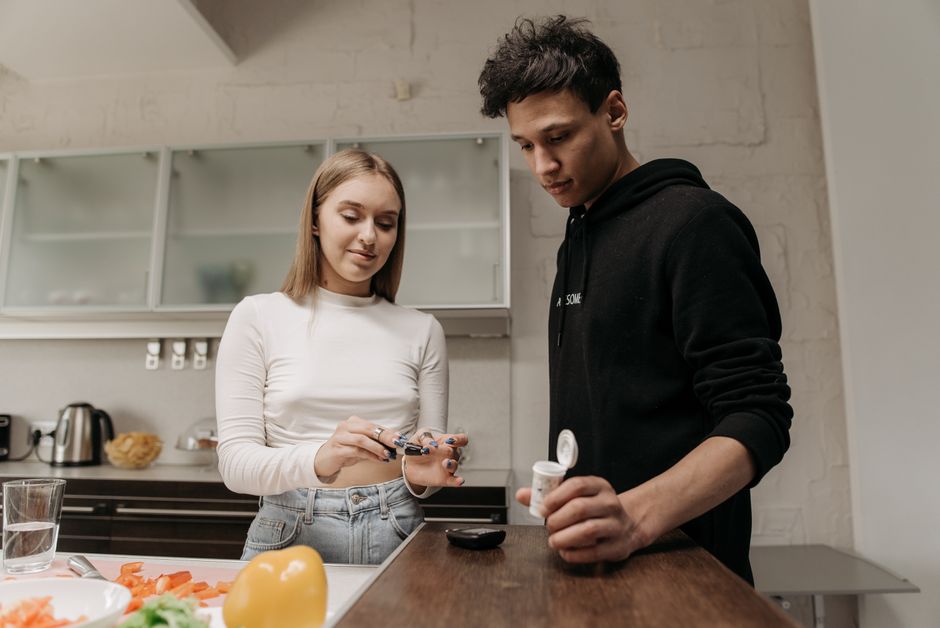
Putting on a continuous glucose monitor takes about five minutes, and most of that time is preparation. You clean the skin, let it dry completely, apply the sensor with its built-in inserter, and press it firmly against your body. A thin filament goes just under the skin, and a small transmitter sits on top. That’s the whole process. The steps are simple, but a few details make the difference between a sensor that lasts its full wear time and one that falls off or reads poorly.
Continuous glucose monitors, or CGMs, have changed how people with diabetes track glucose. Instead of fingersticks, a sensor measures glucose in the fluid under your skin every few minutes and sends readings to a phone or receiver. The technology is now used by people with type 1 and type 2 diabetes, and increasingly by others curious about their glucose patterns. This guide walks through the placement process step by step and covers the mistakes that cause most problems.
What Is a Continuous Glucose Monitor and How Does It Work?
A CGM is a small wearable device that estimates glucose levels continuously, without routine fingersticks for each reading.
It has two parts. A sensor filament sits just below the skin, in the interstitial fluid that surrounds your cells. A transmitter or wearable pod sits on the surface and sends data wirelessly to a smartphone app or a dedicated receiver.
The sensor does not measure glucose in your blood. It measures glucose in interstitial fluid, which sits between your blood vessels and your cells. This matters because interstitial glucose lags behind blood glucose. When your glucose is changing quickly — after a meal, during exercise, or when treating a low — the CGM reading can trail your blood level by several minutes. This is a well-documented characteristic of the technology, not a defect.
Most sensors need calibration or at least occasional confirmation with a fingerstick, depending on the model. Some newer devices require no fingerstick calibration at all. Always follow the instructions that came with your specific device.
How To Put On a Continuous Glucose Monitor Step By Step
The placement process is the same in principle across most brands, though details vary. Read your device’s own instructions first — they take priority over any general guide.
Step 1: Wash your hands and gather supplies. You’ll need the sensor applicator, an alcohol wipe, and the transmitter if your device uses a separate one. Have everything within reach before you start.
Step 2: Choose your site. Most CGMs are placed on the back of the upper arm or the abdomen. The back of the arm is common because it’s easy to reach and has enough fatty tissue. Your device’s instructions list approved sites — use only those.
Step 3: Clean the skin. Wipe the site with an alcohol swab and let it air dry completely. This takes about 30 seconds. Do not blow on it or fan it. Trapped moisture under the sensor can weaken the adhesive.
Step 4: Prepare the applicator. Follow your device’s steps to load the sensor or attach the transmitter. Some devices come preloaded and ready to apply.
Step 5: Press the applicator against your skin. Place it firmly and hold it steady. Press the button or release the mechanism as directed. You’ll feel a quick pinch as the filament goes in.
Step 6: Remove the applicator and press the adhesive down. Smooth the edges of the sensor patch against your skin with your finger. Press around the whole perimeter.
Step 7: Start the sensor and wait for warm-up. Most devices need a warm-up period before they display readings. This can range from about an hour to a few hours depending on the model. The app will tell you when readings begin.
Step 8: Confirm the reading if your device requires it. Some systems ask for a fingerstick to calibrate. Follow the prompts on your device.
Where Should You Place the Sensor?
Placement matters more than most people expect. The sensor needs a spot with enough fatty tissue and steady skin contact.
The back of the upper arm is the most common site. The abdomen is also widely used. Some devices are approved for other locations, and some are approved for different sites in adults versus children. Check your own device’s approved sites before choosing.
Avoid these areas:
- Skin that is scarred, irritated, or recently shaved
- Areas where clothing or waistbands rub constantly
- Spots over muscle or bone with little fat underneath
- Skin with lotion, oil, or sunscreen still on it
- Areas that bend and flex heavily, like the front of the elbow
Rotating sites between sensor changes helps prevent skin irritation. If you always place a sensor in the same spot, the skin can become sore or develop adhesive reactions.





Why Does the Sensor Sometimes Fall Off or Read Poorly?
Adhesion problems and inaccurate readings usually trace back to the same handful of causes.
Moisture is the biggest one. If you apply a sensor to skin that isn’t fully dry, the adhesive never bonds properly. Sweat, lotion, and sunscreen all interfere the same way. So does applying a sensor right after a shower if the skin is still damp.
Body hair, oily skin, and certain skin types also reduce how long the adhesive holds. Some people use an adhesive barrier wipe or an overpatch to extend wear time. These are widely used, though how much they help varies from person to person.
Reading accuracy is a separate issue. Compression on the sensor — lying on it while you sleep, for example — can temporarily distort readings. So can dehydration, certain medications, and taking high doses of vitamin C, which some older sensor models are sensitive to. Your device’s manual lists substances that can affect accuracy.
If readings seem off, confirm with a fingerstick before acting on them. Do not adjust insulin or make treatment decisions based on a single questionable CGM reading.
How Do You Keep the Sensor Secure for Its Full Wear Time?
Most sensors are approved for a set number of days. The exact wear time depends on the brand and model, so check your device’s labeling rather than assuming.
A few habits help the sensor stay put:
- Apply to clean, completely dry skin
- Press the adhesive down firmly around the full edge
- Avoid soaking the site in water for the first few hours
- Use an overpatch if your device or clinician recommends one
- Pat the area dry after swimming or heavy sweating
When it’s time to remove the sensor, peel the adhesive slowly and gently. Rubbing alcohol or an adhesive remover can help loosen stubborn patches. If your skin looks irritated after removal, give it time to recover before placing the next sensor nearby.
What to Know Before You Start
CGMs are a tool, not a replacement for judgment. The readings inform decisions, but they don’t make them for you.
Anyone using a CGM to manage diabetes should know how their specific device behaves — its lag time, its warm-up period, and when it needs calibration. That knowledge comes from the device manual and from your diabetes care team, not from general advice online.
For people without diabetes who are curious about glucose tracking, it’s worth being clear about the evidence. CGM use is well established for diabetes management. Its value for people without diabetes is far less certain, and no strong body of research currently shows that tracking glucose in healthy people improves health outcomes. That’s an honest statement of where the science stands. If a company tells you otherwise, ask what studies support the claim.
The placement process itself is straightforward. Clean skin, firm pressure, a few minutes of patience during warm-up. Get those right and the sensor does the rest.
Frequently Asked Questions
How long does it take to put on a CGM?
The application itself takes about five minutes, including cleaning the skin and pressing the sensor down. Add the device’s warm-up period before readings appear, which varies by model.
Can I shower or swim with a continuous glucose monitor on?
Most CGMs are water-resistant and can stay on while you shower or swim. Check your specific device’s water-resistance rating, and pat the area dry afterward to protect the adhesive.
Does putting on a CGM hurt?
You’ll feel a brief pinch when the filament goes in, and most people describe it as minor. Any soreness at the site usually fades within a short time.
Can I put a CGM anywhere on my body?
No. Each device is approved only for specific sites, most often the back of the upper arm or the abdomen. Use only the locations listed in your device’s instructions.
