
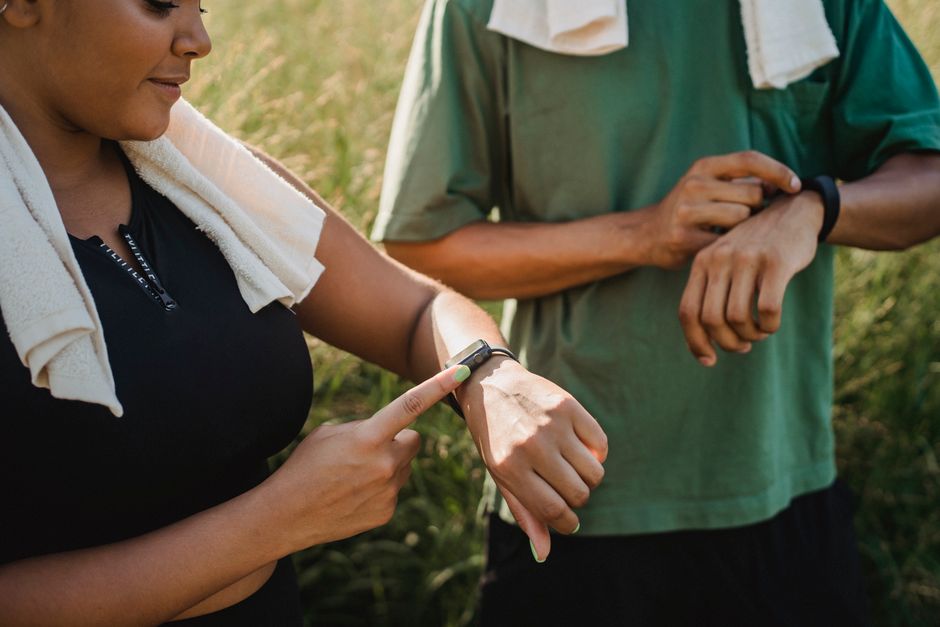
Your phone can measure walking distance using built-in sensors and apps. Most smartphones use a combination of GPS and an accelerometer to track your steps and the distance you cover. You do not need to buy anything extra — the tools are already on your phone. This article explains how it works, which methods are most accurate, and how to get the best results.
How does your phone measure walking distance?
Your phone has two main ways to measure how far you walk. The first is GPS (Global Positioning System). Your phone uses signals from satellites to figure out where you are on the map. As you move, it tracks your position change and calculates the distance you traveled. This method works best outdoors with a clear view of the sky.
The second method uses an accelerometer — a tiny sensor that detects movement. It senses when you swing your arm or bounce with each step. The phone counts your steps, estimates your stride length, and multiplies the two to get a distance. This works indoors, where GPS signals are weak. However, the distance estimate is less accurate because stride length varies from person to person.
Many phones combine both methods. They use GPS when available and fall back on the accelerometer when GPS is unreliable. Apple Health and Google Fit are the default apps that do this automatically.
How to measure walking distance on your phone?
The simplest way is to use the health app that came with your phone. On an iPhone, open the Health app. Tap Browse at the bottom, then tap Activity. You will see Walking + Running Distance listed. Your phone records this automatically whenever you carry it while walking.
For Android phones, open the Google Fit app (it is preinstalled on most devices). Tap on your profile picture or the Home icon. The main screen shows your steps and distance. If you do not have Google Fit, download it from the Play Store for free. It uses the same sensors.
If you want to measure a specific walk — a morning hike or a trip to the store — open a dedicated tracking app. Apple Maps and Google Maps both have a feature that records your route and distance. In Google Maps, tap your profile picture, then Timeline. In Apple Maps, go to Favorites and select Walking. These apps show your path and total distance on a map.
For more detail, third‑party walking apps like MapMyWalk or Strava let you start and stop a tracking session. They show distance, pace, elevation change, and a map of your route. All of these apps rely on the same GPS and accelerometer data your phone already collects.
Which apps are most accurate for measuring walking distance?
Accuracy depends on the method the app uses and where you walk. When GPS is available — outdoors, away from tall buildings — most apps are within about 5 to 10 meters of your true distance over a mile. That difference is small enough for everyday walking.
The built‑in health apps (Apple Health and Google Fit) are generally accurate for total daily distance. They track your steps continuously. Studies have found that step counts from smartphones compare reasonably well with research‑grade pedometers, though they can overcount or undercount by 5% to 10% depending on walking speed and where you carry the phone.
Dedicated walking apps like MapMyWalk, Strava, and Runkeeper use GPS actively. They record your location every few seconds. This gives a more precise map of your route. For a one‑time walk you want to measure, these apps are usually more accurate than the daily step count from the health app. However, the difference is minor for most people.
No app is perfect. GPS accuracy can drop in dense forests, between skyscrapers, or under heavy cloud cover. In those situations, the phone relies on the accelerometer estimate, which is less reliable. But for typical neighborhood walks or park paths, you can trust the distance reading within a reasonable margin.


Can you measure walking distance without GPS?
Yes, your phone can estimate walking distance indoors or in places without a GPS signal. It uses the accelerometer to count steps and then multiplies by your estimated stride length. The phone learns your stride length over time by comparing step counts to known distances — for example, during a GPS‑tracked walk.
Stride length varies with your height, walking speed, and terrain. A 5‑foot person takes shorter steps than a 6‑foot person. Also, when you walk faster, your stride naturally lengthens. The phone’s estimate is a rough average. For indoor walks, distance readings can be off by 20% or more. That is fine for daily step goals but not for precise distance measurement.
To improve the indoor estimate, you can calibrate your phone. On an iPhone, go to Settings > Privacy & Security > Motion & Fitness. Turn on Calibration. On Android, in Google Fit settings, you can enter your height to improve stride length. The phone will also adjust over time.
Do you need a fitness tracker or smartwatch to measure walking distance?
No, you do not. Your phone alone does the job. A fitness tracker or smartwatch adds convenience — it is strapped to your wrist and records distance even when your phone is in a bag or on a table. But for most people, carrying a phone in a pocket, bag, or armband gives equally good results.
The phone’s sensors are the same basic technology found in most wearables. Some high‑end watches have dual‑frequency GPS, which is more accurate in difficult environments, but the difference is small for casual walking. If you already own a smartwatch, it will sync distance data with your phone’s health app automatically. But you do not need to buy one just to measure walking distance.
How to improve the accuracy of walking distance measurement
You can take a few simple steps to get more reliable numbers from your phone.
- Carry the phone on your body. Keeping it in a pants pocket, jacket pocket, or armband gives better step detection than holding it in your hand or swinging it loosely. The accelerometer works best when the phone moves with your body.
- Calibrate your phone. Walk a known distance — for example, a measured track or a route you know the length of — while using a GPS‑based app. Both iPhone and Android will use that data to adjust your stride length estimate.
- Use GPS‑based apps outdoors. For walks outside, an app that actively tracks your route is more accurate than the daily step count. Start tracking, walk, then stop tracking. The distance shown is based on your actual path.
- Keep your phone charged. GPS uses more battery than keeping the phone in your pocket. If the battery gets low, the phone may reduce GPS accuracy or stop tracking. Charge before a long walk.
- Update your phone and apps. Software updates often improve sensor calibration and GPS performance. Staying current helps.
What are the limitations of measuring walking distance by phone?
Phone‑based distance measurement has limits. GPS requires a clear view of the sky. Under trees, near tall buildings, or in tunnels, accuracy drops. Your phone may think you walked a shorter or longer distance than you actually covered.
Battery life is another factor. Continuous GPS tracking drains the battery faster than the phone’s passive step counting. A 2‑hour walk can use 10% to 20% of a full charge, depending on the phone model and background apps. If you plan to walk for several hours, bring a portable charger or switch to step‑only mode when exact distance is not critical.
Phone placement matters. If you put the phone in a backpack or a purse, the accelerometer may not detect steps as well. The phone might undercount your distance by 10‑15%. In a front pants pocket, step detection is most accurate.
Finally, no phone can tell you exact distance the way a measuring wheel or a calibrated GPS unit used in surveys can. For everyday use — checking your daily activity, tracking a workout, or seeing how far you walked in the park — a phone is good enough. For scientific or competition purposes, consider a dedicated GPS watch.
Frequently Asked Questions
Can my phone measure walking distance without internet?
Yes, because GPS does not require an internet connection. Your phone receives satellite signals directly. You do not need cellular data or Wi‑Fi to track distance during a walk. However, without internet, you may not see a map of your route until you reconnect.
How accurate is phone GPS for walking distance?
Under open sky, phone GPS is accurate to within about 5–10 meters per mile, which is acceptable for most walking purposes. Accuracy decreases in wooded areas, urban canyons, or near reflective surfaces.
Does walking distance measurement depend on phone brand?
Brand differences are small. Apple iPhones and most Android phones from Samsung, Google, and others use similar GPS chips and accelerometers. Software optimization varies slightly, but the overall distance reading for a typical walk is comparable across recent models.
How do I calibrate my phone for walking?
On an iPhone, go to Settings > Privacy & Security > Motion & Fitness and turn on Calibration. Then walk a known distance while using the Apple Health app. On Android, open Google Fit, go to Settings, and enter your height or walk a GPS‑tracked route to calibrate stride length.
